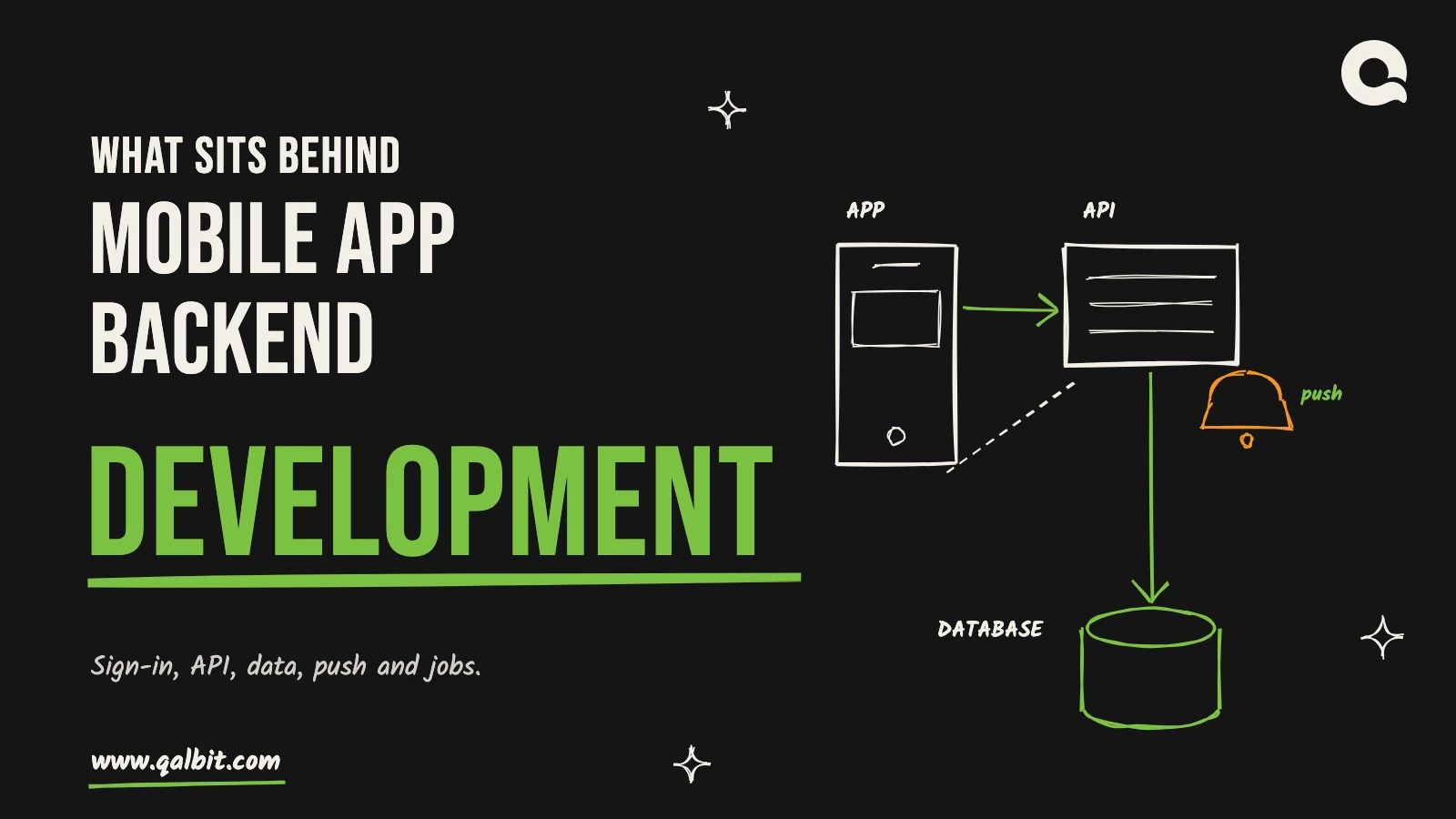
Data, files and push notifications
The database holds the records. Photos, documents and video go to object storage instead. The phone uploads them straight there through a signed link, so they never pass through your API server. Push notifications are a separate piece of plumbing. Your backend stores each device’s token and decides who should be told what. It then hands the message to Apple’s push service or Firebase Cloud Messaging, which relays it to the phone. Treat a push as a nudge, never as a record. The user may have switched notifications off. The record stays in your database, and the app fetches it when opened.
Background jobs, offline sync and the admin panel
Anything slow or retryable goes into a queue so the API can answer quickly. That covers sending email and push messages, processing an uploaded video and calling a payment provider. It also covers checking an in-app purchase receipt on the server rather than trusting the phone.
Offline support adds a harder question. If the app lets people work without a connection, the phone queues its changes and sends them later. Your endpoints then need idempotency keys so a resent request does not create a record twice. You also need a written rule for what wins when two devices edit the same thing.
Last, the admin panel. Support staff need to see users, refund an order or switch off a feature without asking a developer, and it is the part most often left out of the first estimate.
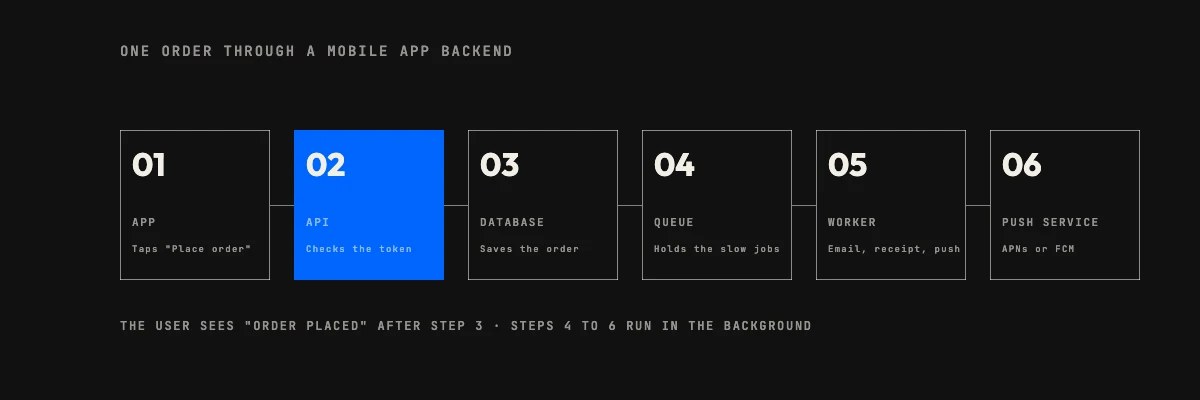
The diagram shows how these pieces connect on one ordinary action, a customer placing an order.
Three architectures: BaaS, custom or hybrid
A hosted BaaS such as Firebase or Supabase (short for backend as a service) hands you auth, a database, file storage and push as hosted features. A custom backend is code your team writes and hosts. A hybrid keeps the BaaS for the commodity parts and puts your own service beside it for the logic that is yours.
| Factor | BaaS (Firebase, Supabase) | Custom API | Hybrid |
|---|---|---|---|
| Time to a first working version | Shortest: auth and database exist on day one | Longest: you build the foundations first | Close to BaaS for the basics, then custom work on top |
| Business logic | Rules and functions inside the vendor’s model | Anything you can code | Custom service for the complex rules |
| Cost shape | Low at the start, then usage-based as users grow | Higher to build, and you pay for hosting and upkeep | Between the two |
| Lock-in | High: data model and client code follow the vendor | Low: your code, your cloud account | Medium, and limited to the parts you chose to rent |
| Fits best | Prototypes, small teams, chat and live-data apps | Complex rules, integrations, strict compliance | A BaaS product that has begun to need real logic |
For a startup that needs to show something to users in weeks, our default is a BaaS. For a product with paying customers it is a custom API, often reached by growing out of the first choice. The expensive mistake we see is building the real product’s logic inside a BaaS’s rules. Leaving later then means rewriting the app as well as the server.
REST or GraphQL for mobile app backend development
REST is the safe default: simple, easy to cache and well understood by every developer you will hire. GraphQL earns its place when the same data feeds several screens that each need a different slice. The phone then asks for exactly the fields it needs in one request instead of three. It costs more on the server: you must limit query depth and cost, or one careless query can load far more data than you intended. We build both, and for a first release with a handful of screens we start with REST.
Monolith or services
Start with one deployable backend, organised into clear modules. Splitting into separate services pays off when different parts need to scale or be owned separately. It also adds deployment, monitoring and network failures you did not have before. When the traffic does arrive, our post on app scaling strategies covers sharding, replication and caching in more depth than we will here.
Choosing a stack for mobile app backend development
The right stack is the one your team can run and hire for in year three. On backend projects we most often work with Node.js and NestJS, TypeScript, Laravel, PostgreSQL and MySQL, on AWS with Docker, exposing REST or GraphQL. That is the stack on our backend page; it describes what we run day to day, and the order means nothing.
- Node.js with NestJS (TypeScript) suits apps with real-time features and a TypeScript team already building the mobile client in React Native.
- Laravel is fast to a working admin panel and a conventional API, which suits business apps with a lot of back-office screens.
- PostgreSQL is our usual database: relational integrity for orders, accounts and money, plus JSON columns where the data is looser.
- Redis or a managed queue, which we add when needed, for caching and the background jobs described above.
- Your own cloud account, whichever provider, so the client holds the keys from the first sprint.
Whatever you pick, check what the free tier hides. Supabase’s pricing page (checked October 11, 2026) lists a Free plan and a Pro plan from $25 per month. Pro includes 100,000 monthly active users, 8 GB of database disk and 250 GB of egress. The same page states that free projects are paused after one week of inactivity. That is fine for a prototype and a surprise for a launch. Firebase’s pricing page (same date) shows a no-cost Spark plan and a pay-as-you-go Blaze plan. Cloud Functions usage is marked not applicable on Spark, so running Cloud Functions means Blaze. Cloud Messaging is listed as no-cost. Prices change, so read the page again before you decide.
What drives mobile app backend development cost
We will not put one price on a mobile backend, because the scope decides it far more than the platform does. Our calculator has no separate line for a backend, so we quote only what our own pages publish. Our backend page prices a Launch package from mid four figures USD over 6 to 8 weeks. It covers one core journey, production-ready, with auth, roles and admin basics. The Scale package starts from low five figures USD over 10 to 14 weeks. It adds two to four external integrations, payments and reporting. For comparison, our pricing page’s mobile app row shows $9,000 to $26,500 over 8 to 14 weeks. That row is iOS and Android built on your API, so when the API does not exist yet, the backend is the extra work this post describes.
What moves a mobile backend inside those ranges:
- Integrations. Payments, maps, SMS, a CRM or an ERP each have their own auth, failure modes and testing.
- Real-time and offline. Live updates and offline sync need design work that a plain request-and-response app does not.
- Roles and tenants. One user type is simple; staff, customers and multi-company accounts multiply every endpoint.
- Compliance. Health, payments and children’s data add audit logging, encryption and retention rules.
- Admin scope. A dashboard with reports and refunds is a project in itself.
- What happens after launch. Hosting, monitoring and updates continue every month. Our post on maintaining a mobile app covers that side. For how project totals are built, see the average cost of custom software development.
The honest way to get a number is a short written scope. Ours is free, arrives within 48 hours and is yours to keep either way.
How to decide, in order
If you are choosing now, work through these questions in order, since each one narrows the next.
- Does the app need logic that no BaaS rule can express, such as pricing engines, approvals or heavy integrations? If yes, plan a custom API or a hybrid.
- Do you have a compliance or data-residency requirement? That often rules out a default hosted region.
- How soon must real users have it in their hands? If weeks, a BaaS first release is reasonable, with the exit planned from day one.
- Who will maintain it? Choose the stack your team can hire for.
- Who owns the accounts? Code, repositories and cloud accounts should belong to your company from the first sprint.
Send us your answers and the written scope that comes back will set out architecture options, a timeline and a price range.
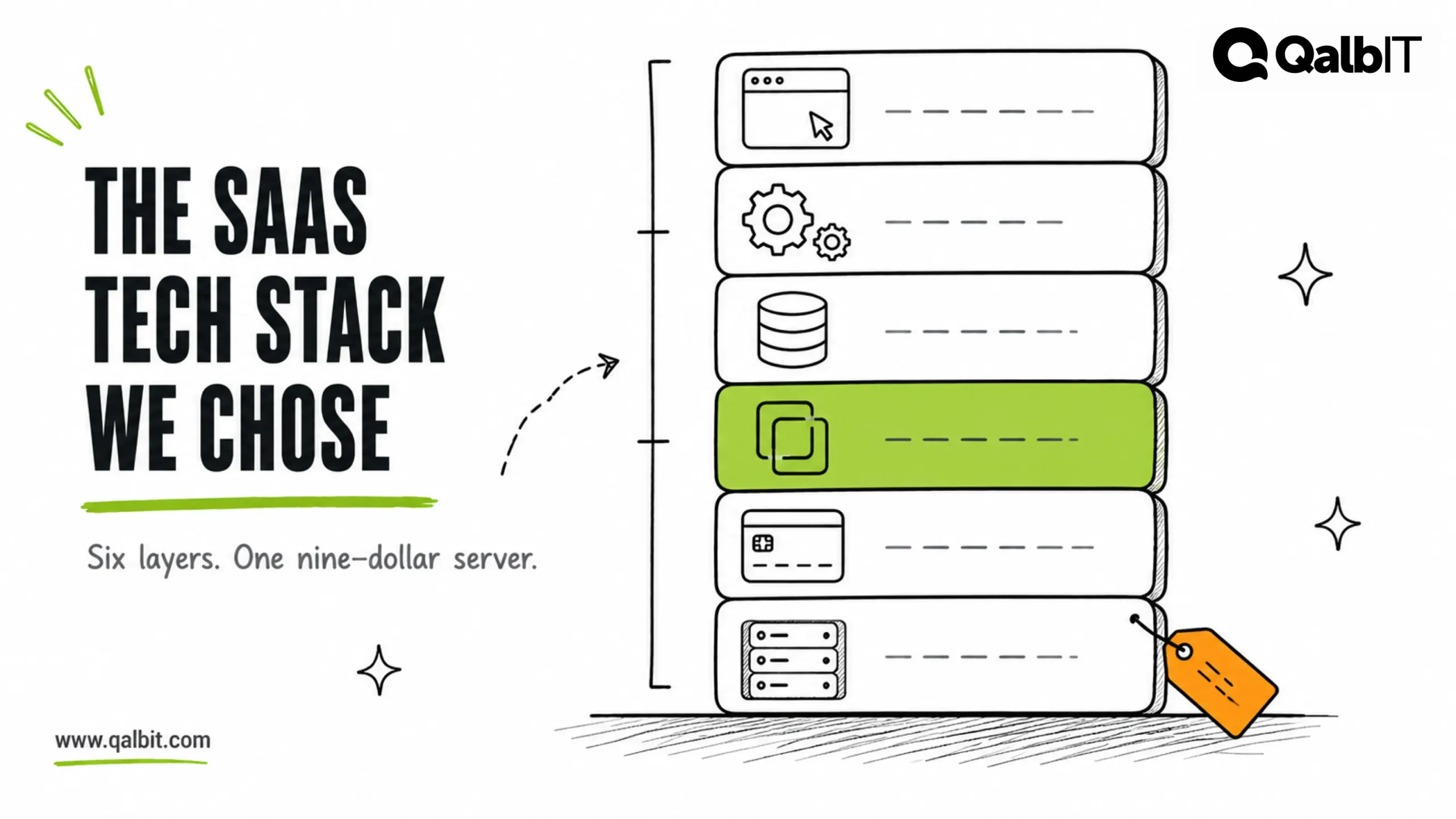
Mobile app backend development means building the server side your app relies on: sign-in, data, push, files, admin tools and background jobs. Considerably more of the cost and risk sit there than in the screens people see in a demo.
Our mobile backend work usually starts after an app has outgrown a prototype or a quick Firebase setup. The questions below are the ones clients ask us first. If you want a team to take it on, our backend development service starts with a written scope within 48 hours.
What mobile app backend development includes
A phone app is a client. It holds a screen, a cache and a login token. Everything that must be true for all users at once lives on a server. These are the parts, in the order we usually build them.
Sign-in and accounts
Authentication comes first because every other endpoint needs to know who is calling. A typical mobile setup issues a short-lived access token and a longer-lived refresh token. The refresh token lives in the phone’s secure storage. Revoke it and one lost device is signed out while everyone else stays logged in.
Store rules shape this part more than people expect. Apple’s guideline 5.1.1(v) is blunt: if your app supports account creation, you must also offer account deletion within the app. So the backend needs a delete-account path that actually removes the user’s data. Guideline 4.8 adds a second rule. If Google Sign-In or another third-party login creates the user’s main account, the app must offer an equivalent login too. It must collect only name and email, let users hide their email, and not track them for ads without consent. Enterprise apps that use an existing company account are among the exceptions. Sign in with Apple is the usual answer.
The API layer
The API is the contract between the app and everything else. Two things make a mobile API different from a web one. First, old versions of your app stay in people’s pockets for months, so version 1 of an endpoint has to keep working after version 3 ships. Second, the connection is a mobile network, so keep payloads small and paginate lists. Make every write safe to retry, because a request that times out in a tunnel will be sent again. On our projects that contract is written down first: endpoints, request and response shapes and the error format, all agreed before any backend code exists.