The rates, checked 4 September 2026:
| Provider | Outbound data transfer |
|---|---|
| AWS | First 100 GB/month free. Then $0.09/GB to 10 TB, $0.085/GB for the next 40 TB, $0.07/GB for the next 100 TB, $0.05/GB above 150 TB |
| Microsoft Azure | About $0.087/GB for the first 10 TB |
| Google Cloud (Premium Tier) | About $0.12/GB |
| Cloudflare R2 | $0.00 |
| Hetzner Cloud | 20 TB included on EU instances |
| DigitalOcean, Vultr | Bundled allowance. Most workloads never see a separate line. |
Rates from EgressCost and SpendArk, checked 4 September 2026. AWS Singapore starts higher, at $0.12/GB.
Now run the arithmetic, because the arithmetic makes the case better than I can.
Say you’re pushing 1 TB a month, which is a fairly ordinary B2B SaaS with a few thousand active users and some file downloads. AWS bills roughly 924 GB after the free allowance, at nine cents. Call it $83 a month. Irritating. Survivable.
Push 50 TB a month and AWS data transfer comes to roughly $4,385 a month (Amnic, citing AWS rates, checked 4 September 2026). That’s $52,620 a year to move your own bytes to your own customers. Run the same traffic on a VPS with bundled transfer and the incremental cost is nothing until you exhaust the allowance. On Cloudflare R2 it’s nothing at all.
Nothing about your application changed. You just got bigger, and the bill noticed before you did.
The EU Data Act changes this, but not yet, and not completely
Regulation (EU) 2023/2854 became fully applicable on 12 September 2025, and from 12 January 2027 it bans switching and egress fees outright (SoftwareSeni, Cloud and Clear, checked 4 September 2026).
Providers have moved already, though the conditions matter and most summaries skip them. Google announced free switching egress on 12 January 2024. AWS followed on 5 March 2024 and, usefully, doesn’t require you to close your account. Azure arrived mid-March 2024 but wants you to cancel all subscriptions, with the credit applied once the transfer finishes.
Every one of those waivers is exit-only. They cover the cost of leaving, not the cost of running. Ordinary month-to-month egress, meaning the traffic you serve customers and the data you replicate between regions, stays fully billable until January 2027 at the earliest (Cloud Magazin, July 2026).
Budgeting an EU launch for 2027? Model the ban. Anything sooner, model nine cents.
Bill two: renting a database at double the hardware price
A managed database is a real product and worth real money. Backups, failover, patching, point-in-time recovery. Every one of those is something you would otherwise build yourself, badly, in a week you had earmarked for something else, and then be woken up by at three in the morning.
The markup is real too, and bigger than most teams have in their heads.
AWS RDS charges roughly 90% more than renting the same Graviton hardware directly. On one db.m5.large Multi-AZ instance that premium comes to about $3,432 a year (SelfHost.dev, verified May 2026, us-east-1). Scale up and it stops being a rounding error. An enterprise configuration, db.r6in.xlarge Multi-AZ with 500 GiB of io2 storage, runs about $2,761 a month. Call it $33,134 a year.
Set that against the entry points, all checked 4 September 2026 (SelfHost.dev, MakerKit):
| Option | Monthly | Note |
|---|---|---|
| Self-hosted PostgreSQL on a VPS | $5–25 | You own backups, patching and the 3am page |
| PlanetScale PS-5 | $5 | Entry tier |
| DigitalOcean Managed Postgres | $15 | |
| Supabase Pro | $25 | Bundles Auth and Storage, which is real value if you’d otherwise build them |
| Neon | $46 always-on | Cheaper with scale-to-zero, which suits bursty workloads |
| AWS RDS, enterprise config | ~$2,761 | db.r6in.xlarge Multi-AZ, 500 GiB io2 |
One line item deserves a specific warning. Once your major version passes community end-of-life, AWS charges $0.20 per vCPU-hour for Postgres Extended Support, and that rate doubled on 1 March 2026. If you’re the sort of team that lets a database version drift, there’s a bill with your name on it, growing quietly.
My read, and this is judgement rather than measurement. Managed is right while engineering time is scarcer than money, which for most seed-stage teams it plainly is. It stops being right the day you have someone who can competently run a database and a bill in four figures. Switching from managed to self-hosted on the same engine is a migration of a few weeks. That’s row six of the reversibility table, and one of the cheapest large savings on the menu.
Bill three: the PaaS and serverless crossover
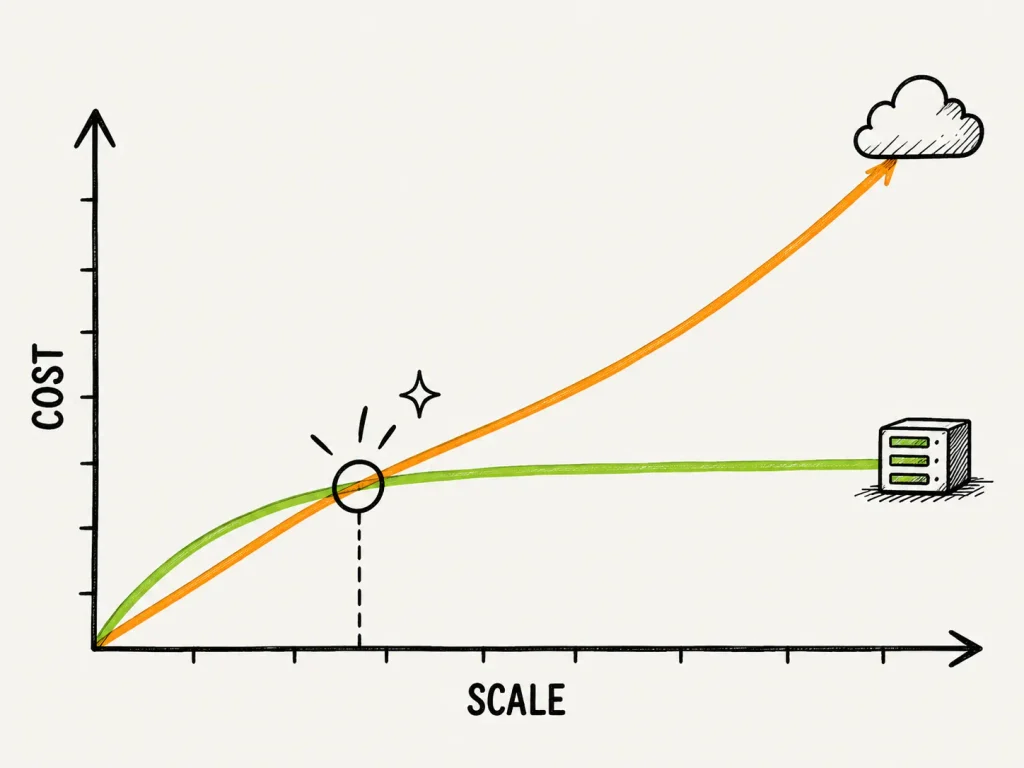
Serverless and PaaS platforms price themselves to be nearly free while you’re small, which isn’t a trick so much as sensible customer acquisition, since the cheapest time to win a customer is before they have any traffic worth billing for. The question is where the curves cross.
Serverless against always-on compute
Independent analysis puts the crossover somewhere between 5 million and 20 million invocations a month, depending entirely on how heavy your handlers are (Pickuma, checked 4 September 2026). Handlers running 200ms or longer cross earlier, around 5 million. Light ones under 50ms hold out to 15 or 20 million.
The worked figures:
| Monthly load | AWS Lambda | Always-on equivalent |
|---|---|---|
| 10M requests (200ms, 256 MB) | ~$62 | ~$25 (reserved t3.medium) |
| 100M requests (200ms, 256 MB) | ~$620 | ~$70 (two t3.mediums plus a load balancer) |
| 50M lightweight requests | ~$310 | ~$6 (Hetzner CX22 plus backups) |
There’s an honest counter-argument here and I’d rather print it than bury it. Add API Gateway and a load balancer to the always-on side and Lambda can win on total cost below roughly 20 to 30 million invocations (Aditya Ganti, March 2026). The crossover is workload-specific. Anyone quoting you a single number for it is selling something.
The Vercel question
Vercel Pro costs $20 per seat per month and includes 1 TB of Fast Data Transfer, then charges $0.15/GB beyond that. Fast Origin Transfer is $0.06/GB. Edge Requests cost $2 per million after the first 10 million, and function invocations $0.60 per million after the first million. A restructuring in September 2025 added a $20 flexible spending credit to Pro. All from vercel.com/pricing, checked 4 September 2026.
Model a growing SaaS workload against those rates and the bill lands near $305 a month on Vercel, versus roughly $30 for the same workload on a Hetzner-class VPS sitting behind Cloudflare’s free CDN. About ten times cheaper. Cloudflare Workers comes in around $15 (MakerKit, August 2026). Compute isn’t what drives that gap. The fifteen cents a gigabyte is.
The bill turns somewhere around 1 TB of monthly egress. Under that, Vercel is good value and you shouldn’t be thinking about any of this. Over it, every extra terabyte costs $150 that a bundled-transfer host gives you for free.
So set a monitor. When monthly transfer crosses 750 GB, book an hour and run the numbers against a VPS. That’s the whole discipline.
Bill four: the licence, which isn’t your decision
No stack-comparison article writes this section, which is exactly why it’s the strongest evidence for the thesis.
Every other cost in this post follows from something you chose. Licence risk is different, because it gets handed to you at a moment you don’t control by a company whose incentives shifted after you’d already built three years of product on top of their decision. Choosing more carefully doesn’t make it go away. All you can do is price it in.
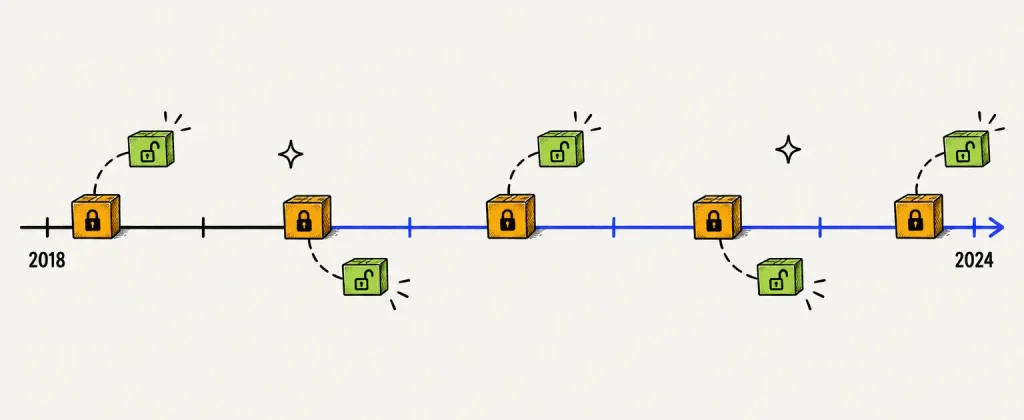
Since 2018 this has repeatedly hit infrastructure that a great many SaaS products sit on top of. Dates verified against vendor sources, 4 September 2026:
| Tool | Was | Became | Date | Fork |
|---|---|---|---|---|
| MongoDB | AGPLv3 | SSPL | 16 Oct 2018 | none |
| Elasticsearch | Apache 2.0 | SSPL / Elastic License 2.0 | Jan 2021 | OpenSearch (Apr 2021) |
| HashiCorp Terraform | MPL 2.0 | BSL 1.1 | 10 Aug 2023 | OpenTofu (Sep 2023) |
| Sentry | BSL | Functional Source License | 15 Nov 2023 | none |
| Redis | BSD-3 | RSALv2 / SSPLv1 | 20 Mar 2024 | Valkey (Mar 2024) |
Sources: MongoDB, Elastic, OpenTofu, Sentry, Redis.
Three details that matter and that most coverage gets wrong.
Redis has changed three times in two years. BSD-3 until March 2024, then dual RSALv2/SSPLv1 from Redis 7.4, then AGPLv3 added as a third option with Redis 8.0 on 1 May 2025. Anything up to 7.2.4 stays BSD. The Linux Foundation forked 7.2.4 into Valkey within days of the March 2024 announcement, with AWS, Google Cloud and Oracle behind it. Any page describing Redis as “open source” without naming a version and a licence was written before March 2024 and nobody has touched it since.
Elastic’s re-opening is narrower than the headlines suggested. Elastic added AGPLv3 in September 2024 and it got widely reported as a reversal. But Elastic’s own licensing FAQ says releases continue under the Elastic License, so the artefact you actually download is still ELv2 unless you build from source yourself. That gap is the difference between compliant and not.
Terraform’s BSL converts back. Business Source License 1.1 restricts competitive use and reverts to MPL four years after each release. Real restriction, but time-boxed. It matters enormously if you’re a platform company and barely at all if you’re a normal SaaS running terraform apply.
What it cost someone in practice
Abstract risk is easy to wave away, so here’s a number. Aiven migrated roughly 15,000 Redis services to Valkey after the licence change. About 11,000 went through automated tooling and 4,000 by customer opt-in, all with zero downtime using replication (Aiven engineering blog, 2024). They handed customers a 20% cost saving. AWS now prices Valkey on ElastiCache 20% below Redis on node-based clusters and 33% lower on serverless.
Forced migration. Cheaper outcome. Both true at once, and neither was in anybody’s plan at the start of that year.
What to do about it. Nothing paranoid. Three habits:
- Know which of your dependencies are single-vendor. A project controlled by one commercial entity can be relicensed. A project under a foundation with several corporate contributors is much harder to relicense. That distinction predicts this risk far better than popularity does.
- Talk to the interface, not the implementation. If Redis sits behind a cache abstraction, Valkey is a config change. If you’ve reached into vendor-specific features, it becomes a project.
- Re-check your dependency licences twice a year. Takes an afternoon. Redis alone would have caught you three times.
Bill five: support windows shorter than your product’s life
You’re building something you expect to run three to five years. Some frameworks support a given release for less time than that. It’s a scheduled and entirely predictable cost, which makes it stranger that so many teams miss it, and the way you usually find out is that the security patches quietly stop arriving and nobody notices for a quarter.
Verified against official release policies, 4 September 2026:
| Runtime / framework | Support window | Cadence |
|---|---|---|
| Node.js | About 30 months LTS on even majors, roughly 36 months release to EOL. From Node 27 (Oct 2026) it moves to one major per year with every release LTS. Node 20 EOL 30 Apr 2026, Node 22 EOL 30 Apr 2027, Node 24 Active LTS to Apr 2028. | Annual major |
| Laravel | 18 months of bug fixes, 24 months of security fixes. No LTS release since Laravel 6. | Annual major |
| Next.js | Roughly two majors supported at a time. 16.x current (21 Oct 2025), 15.x in maintenance, 14.x finished. The App Router migration is its own project. | About annual |
| PostgreSQL | Five years from release, with one final minor at EOL. No separate LTS tier. PG13 EOL 13 Nov 2025, PG14 EOL 12 Nov 2026. | Annual major |
| MySQL | LTS releases (8.4) are long-lived. Innovation releases (9.x) reach EOL within months. | Mixed |
| .NET and Django | Three-year LTS on designated releases | Predictable |
| React | Majors supported a long time, and upgrades are usually gentle | Irregular |
Sources: nodejs.org release schedule, laravel.com, nextjs.org, postgresql.org versioning policy.
Now the uncomfortable bit for us.
Laravel has the shortest predictable support horizon in our own stack. Twenty-four months of security fixes, against a product we expect to run five years, means a Laravel SaaS gets pushed through one or two major upgrades before it reaches maturity. I’m not knocking the framework. It’s excellent and the upgrade path is well managed. But pretending there’s no cost attached would be dishonest. We run Laravel 12 on LiftUp and there’s a recurring calendar entry for the upgrade. That entry is the honest price of the choice.
PostgreSQL sits at the other end. Five years, one release a year, EOL every November. If you want a single decision in this whole exercise that will never surprise you, it’s that one.
Bill six: can you replace the engineer who leaves?
Stack choice is a hiring constraint. Which language is popular is a vanity metric. Here’s the question that actually bites. Your senior backend engineer resigns on a Tuesday. Six weeks to fill the seat, or six months?
That comes down to pool size, and pool sizes vary by a lot.
From the Stack Overflow 2025 Developer Survey, fielded 29 May to 23 June 2025 with 49,009 respondents across 166 countries, among professional developers:
| Language | Usage | Framework | Usage |
|---|---|---|---|
| JavaScript | 68.8% | Node.js | 49.1% |
| Python | 54.8% | React | 46.9% |
| TypeScript | 48.8% | ASP.NET Core | 21.3% |
| C# | 29.9% | Spring Boot | 15.6% |
| Java | 29.6% | Django | 11.7% |
| PHP | 19.1% | Laravel | 9.3% |
| Ruby | 6.9% | Rails | 6.2% |
Stack Overflow 2025 Developer Survey, methodology published. JetBrains’ State of the Developer Ecosystem 2024, covering 23,262 developers, shows the same ordering and notes PHP declining steadily.
The Node and JavaScript pool is roughly three to four times the size of the PHP and Laravel pool. That single ratio drives your time-to-hire more than anything else in this section.
Salaries run the other way. All checked 4 September 2026.
- United Kingdom. ITJobsWatch derives medians from job advertisements. PHP Laravel Developer sat at £45,000 for the six months to 12 January 2026, down from £53,750 the year before. The all-IT median is £57,500, so Laravel comes in well below it.
- Australia. SEEK advertised bands put PHP at A$90–110k, JavaScript at A$100–120k, Python at A$100–120k, Java at A$115–135k and .NET at A$125–145k. PHP is the cheapest mainstream stack, about 10% under JavaScript.
- Germany and the EU. Stack Overflow 2025, with 2,141 German respondents, gives a full-stack median of $75,410 and front-end $79,637. JetBrains 2024 puts JavaScript and TypeScript among the top-paid stacks in Germany. PHP doesn’t appear on that list.
- United Arab Emirates. The Michael Page and Cooper Fitch 2025 guides show back-end at AED 18–27k a month, roughly $59–88k a year, full-stack at AED 18–25k, and Python at AED 20–35k.
A gap I’m not going to paper over. No named GCC recruiter guide breaks salary down to PHP versus Node specifically, and I couldn’t find a stack-level primary source for Saudi Arabia at all. The Gulf figures above are role-level rather than stack-level. Hiring there, treat them as a starting point and get local advice.
So what does it add up to. PHP and Laravel cost less per head in every target market and come from a pool a quarter the size. Node and TypeScript cost more and are the most replaceable skills going. Ruby and Rails has the thinnest pool of the lot.
We build in Laravel. And if replaceability is your binding constraint, say you’re a solo technical founder or a two-person team where one departure would be existential, then Node or TypeScript is the better answer than Laravel and you should take it even though we didn’t. Higher cost per hire. Much lower cost than an empty seat for four months.
That’s the anti-tribalism test. Easy one to fail.
What we chose, what it cost, what we got wrong
First-party from here. Our products, our invoices.
We run on Hetzner, and we started at around $9 a month for compute. That isn’t a rounding error next to the alternatives in this post. It’s the reason we could run four products alongside client work at all.
Then Hetzner raised prices twice in 2026. On 1 April, increases of up to 37% landed on existing customers. On 15 June, CPX instances went up between 144% and 176%, CCX instances between 113% and 169%. The CCX13 went from €15.99 to €42.99.
We picked a provider substantially on price. The price moved. That’s the lesson, and it wasn’t the one I expected to be writing when I started keeping notes on what our own infrastructure was costing us. Being the cheap infrastructure provider isn’t a durable position either. The structural advantages of a VPS host, meaning bundled transfer, no per-gigabyte egress and no managed-service markup, all survived the increase intact. The specific dollar figure didn’t. If your model only works at $9, your model doesn’t work.
The second thing is more embarrassing. We built billing in LiftUp around Razorpay first, because we’re in India and that’s what we invoice through. Our target market is the US, UK, EU, GCC and Australia. So we optimised the payment layer for the market we bill from instead of the market we sell to, and payment processor is row seven on that reversibility table. High cost to change, thanks to stored payment methods, live subscriptions and webhook history.
Not a catastrophe. Months of avoidable work, though, all of which a fifteen-minute conversation about who the customer actually was would have prevented. Which is precisely the failure this whole post is about. We optimised for the cost of starting.
The third one we walked into with our eyes open. Laravel’s 24-month security window is shorter than the life we expect from LiftUp. We knew that. We chose Laravel anyway, because our team’s depth in it outweighed the upgrade tax for a product at this stage. Defensible trade. Still a trade, though, and I’d rather write it down here than pretend the framework came free.
What this would cost you: a conditional recommendation
No shrugging. Here are the conditions and the answers.
Pre-revenue, one or two engineers, bursty traffic, and nobody who wants to run a server. Use a PaaS. Vercel, Render, Railway, Fly. Twenty dollars a seat is trivially cheaper than the hours you’d burn on nginx and certificates. Then set an alert at 750 GB of monthly transfer, because that’s where the arithmetic flips.
Steady, predictable load, and one person on the team who can competently run a Linux box. A VPS with self-hosted Postgres. The crossover research puts the break around 1 TB of egress and somewhere between 5 and 20 million invocations depending on handler weight. Below those numbers you’re buying convenience worth having. Above them you’re paying a large premium for something you’re capable of doing yourself.
Selling into regulated enterprises, or you need SOC 2 or data residency, or the buyer’s procurement form asks which cloud you’re on. Hyperscaler. Not because it’s cheaper, because it isn’t, and this post has spent three thousand words demonstrating that. You’re buying the audit answer and the compliance paperwork, and those are worth real money. Just say so out loud in the meeting so everyone knows what they’re buying.
Media-heavy product with video, large images or big downloads. Egress swamps every other line and nothing else comes close. Go to Cloudflare R2’s zero-egress pricing or a bundled-transfer host. Don’t put that workload behind S3 and CloudFront and hope for the best.
Solo founder or a two-person team. Pick the stack you can hire into rather than the one you like most. On current pool data that means Node and TypeScript, or Python. This recommendation contradicts the founder’s instinct more often than any other one here, and it’s also the one that most often turns out to matter.
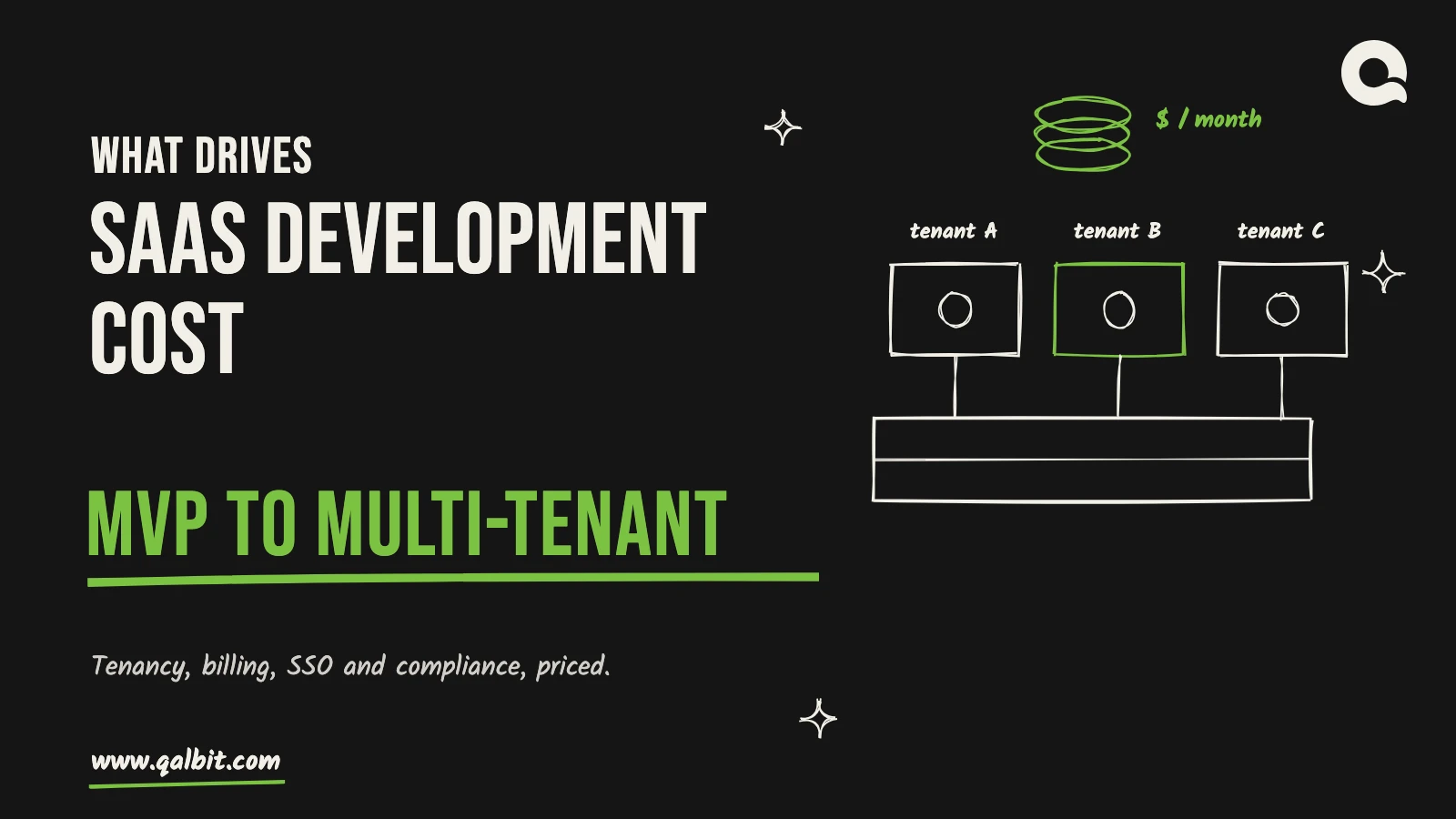
Building genuinely multi-tenant SaaS. Decide the tenancy model on day one, write down why, and put it in the repository. Shared schema with a tenant ID is cheapest to run and carries genuine leak risk from one missing WHERE clause. Schema-per-tenant isolates better and turns every migration into a loop that slows down with each customer you win. Database-per-tenant gives you the strongest isolation and the heaviest operational load. Any of the three can be correct. What kills you is discovering in month fourteen that you never actually chose.
When the expensive answer is the right one
A post like this can slide into “self-host everything, cloud is a scam,” which would be wrong, and wrong in the specific way that costs a reader money rather than the harmless way that just makes an author sound opinionated.
Managed services are correct when engineering time is worth more than the markup, which for a funded seed-stage team chasing product-market fit is nearly always. The RDS premium is real. So is the fact that $3,432 a year is cheaper than the week your only backend engineer spends configuring streaming replication instead of shipping the feature that closes your next customer.
Hyperscalers are correct when compliance, data residency or a specific managed service genuinely carries weight in your sales motion. If enterprise deals stall without a SOC 2 report, the cloud bill is a sales expense and you should argue for it on that basis.
Serverless is correct for bursty, spiky, unpredictable load. That’s exactly the profile where an always-on server sits idle most of the month. The crossover cuts both ways.
The thesis was never “spend less.” It’s know which bill you’re signing up for, and know the point at which that bill changes shape. Sometimes the expensive option is the right one. Choose it deliberately.
Does anyone actually move? Yes.
The best-documented case in the industry is 37signals, and the figures are public.
They spent $3,201,564 on AWS in 2022. In 2023 they bought roughly $700,000 of Dell hardware, moved seven applications off the cloud, and brought the 2024 bill down to $1.3 million. That’s around $2 million a year saved, and the hardware paid for itself inside 2023. The original estimate was $7 million over five years. The projection now sits above $10 million, including the exit from S3.
Then the S3 piece. Roughly 10 petabytes costing about $1.5 million a year, being replaced by 18 petabytes of Pure Storage at around $1.5 million upfront and under $200,000 a year to operate. AWS waived approximately $250,000 in egress fees to smooth the exit, and DHH acknowledged it directly, tying the waiver to AWS’s public commitments under the same regulatory pressure discussed earlier.
Performance improved too, which undercuts the usual objection. Basecamp’s median request time fell from 67ms to 19ms, mean from 138ms to 95ms, and median query time roughly halved.
Sources: world.hey.com/dhh, The Register, 21 October 2024 and 9 May 2025, checked 4 September 2026.
Two caveats before anyone quotes this at a board. 37signals has a mature, predictable, well-understood workload, which makes it the ideal repatriation candidate and nothing like a pre-product-market-fit startup. And hardly anyone publishes the migrations that went sideways, so the public record on repatriation is badly survivorship-biased, and you should discount every case study you read on the subject, this one included, by whatever factor feels honest. Most stack migrations in the wild happen for preference rather than cost, and those almost never publish numbers at all.
Proof the direction works at real scale. Not a template.
The facts, extracted
If you’re pulling the load-bearing claims out of this to check them yourself:
- AWS charges $0.09/GB for the first 10 TB of monthly data transfer out to the internet, after a 100 GB free allowance (checked 4 September 2026).
- 50 TB of monthly AWS egress costs approximately $4,385, or about $52,620 a year.
- Cloudflare R2 charges nothing for egress, and Hetzner includes 20 TB of transfer on EU cloud instances.
- The EU Data Act bans cloud switching and egress fees from 12 January 2027. The waivers announced by AWS, Google and Azure in 2024 cover exit traffic only.
- AWS RDS carries roughly a 90% markup over renting equivalent hardware directly, coming to about $3,432 a year on a single db.m5.large Multi-AZ instance.
- AWS charges $0.20 per vCPU-hour for PostgreSQL Extended Support past community EOL, a rate that doubled on 1 March 2026.
- Vercel Pro includes 1 TB of Fast Data Transfer and charges $0.15/GB beyond it, which is where a growing SaaS bill starts diverging sharply from a VPS.
- Redis changed licence twice in fourteen months, moving to RSALv2/SSPLv1 on 20 March 2024 and adding AGPLv3 with Redis 8.0 on 1 May 2025.
- HashiCorp moved Terraform from MPL 2.0 to the Business Source License on 10 August 2023, prompting the OpenTofu fork under the Linux Foundation.
- Aiven migrated approximately 15,000 Redis services to Valkey with zero downtime and passed a 20% cost saving to customers.
- Laravel provides 18 months of bug fixes and 24 months of security fixes per release, with no LTS release since Laravel 6.
- PostgreSQL supports each major version for five years from release, making it the most predictable upgrade clock in a typical SaaS stack.
- In the Stack Overflow 2025 Developer Survey of 49,009 developers, Node.js was used by 49.1% of professional developers against 9.3% for Laravel.
- 37signals reduced cloud spend from $3,201,564 in 2022 to $1.3 million in 2024 after buying approximately $700,000 of hardware.
Shelf life: when to re-check this
This post contains prices, and prices rot. Here’s the schedule we hold ourselves to.
| Section | Re-verify | Why |
|---|---|---|
| Cloud and PaaS pricing (egress, RDS, Vercel, Hetzner, Neon, Supabase) | Quarterly | Decays in months. Hetzner moved twice in 2026 alone. |
| EU Data Act egress position | Before 12 January 2027 | The ban partly invalidates the egress argument for EU switching |
| Dependency licence status | Twice a year | Volatile. Redis changed three times in two years. |
| Framework LTS and EOL dates | Twice a year | Node EOLs every April, Postgres every November. Node’s schedule changes in October 2026. |
| Salary bands | Every 6–12 months | Job-ad medians update continuously, surveys annually |
| 37signals figures | Annually | Historical and stable. Refresh when the S3 exit completes. |
Reading this more than a quarter after the last-updated date at the top? Treat every dollar figure as directional and re-check the two or three your decision actually turns on. That isn’t a disclaimer. It’s how you should use any post containing cloud pricing, this one included.
The short version
The stack decision isn’t reversible, whatever you’ve been told. Parts of it are, like the CDN, the email provider, the frontend framework. Other parts aren’t, and tenancy is the one that will genuinely hurt.
So price the year-three bill. Egress at nine cents a gigabyte. A managed database at roughly double the hardware. A PaaS that turns expensive somewhere north of a terabyte a month. A framework whose security patches stop after two years. A hiring pool that’s either half the market or a tenth of it. And a licence you don’t control at all.
None of that shows up in a comparison table of frameworks. All of it fits in an afternoon with a spreadsheet, once you know which lines belong in it.
Making this decision now and want a second opinion from people who pay their own bills? Book a call, or read how we approach SaaS product development when the build has to survive past year one.
Changelog — 5 September 2026: substantial revision. Added sourced egress, managed-database, serverless and PaaS pricing with verification dates; a reversibility ranking; a licensing-risk section covering the 2018–2025 relicensing events; framework LTS windows checked against official release policies; hiring-pool and salary data for the US, UK, EU, GCC and Australia; the 37signals repatriation figures; conditional recommendations; and a pricing shelf-life schedule. Added a first-party account of the 2026 Hetzner price increases and two decisions we would make differently.
Choose your SaaS tech stack for what it costs in year three. Not for what it costs in week one.
Most stack decisions get made on the wrong axis. How fast can we ship. What does the team already know. Which one has better docs. Those are all fair questions and I’ve asked every one of them myself, but if you look at what they’re actually measuring, they’re measuring the same thing, which is how cheaply you can start. Starting is the cheapest part of building a SaaS. It’s also the only part most comparison articles bother to price.
The expensive bills turn up later. There’s the egress line nobody modelled. There’s a database you’re effectively renting at double what the hardware costs. Your framework’s security patches stop before the product reaches maturity. A dependency you’d never thought about changes its licence. And the hiring pool you assumed was deep turns out to be a quarter of what you pictured.
Some of that you can fix over a weekend. One item on the list is close to a full rewrite. Telling them apart is the whole job.
On evidence. Every cost figure below links to a source, with the date I checked it. Where something is my judgement rather than a number you can verify, I say so. And prices rot, so there’s a shelf-life section at the end covering which ones go stale fastest.
What’s in here
Why we’re the ones writing this
We build software for clients. We also build and run our own products. LiftUp is a multi-tenant CRM and CMS on Laravel 12. PocketGST does offline-first invoicing. URLCrop handles link management, and Emplyft covers HR.
So the hosting invoices land on us. We do our own upgrades, and when we hire, we pay whatever the market has decided a backend engineer costs that quarter, which is rarely the number we had in mind.
That’s the whole claim. Most of what ranks for this question comes from a framework vendor, a cloud vendor, or an agency working purely from research. We’re an agency too. The difference is that we get a Hetzner invoice every month and have been unpleasantly surprised by one.
Anything drawn from our own experience is labelled first-party. Everything else has a link.
Reversibility is the real axis
Here’s the reframe. Stop asking which stack is best. Start asking what it costs to change your mind if you get this wrong.
A few of these decisions you can undo in an afternoon without anyone noticing, and a few of them are one-way doors wearing the costume of a preference, which is the dangerous kind because nothing about the conversation feels weighty at the time. Hardly anyone sorts them before committing, and that’s why teams spend three weeks arguing about React versus Vue, which you can genuinely reverse, then settle their tenancy model in a fifteen-minute conversation nobody wrote down.
(Effort estimates are judgement, based on our own migrations and published accounts. The 37signals figure is sourced further down.)
Look at that last row again. Every other line describes something you decide. That one describes something decided for you, at a moment of somebody else’s choosing, and it has hit widely used infrastructure repeatedly since 2018. There’s a whole section on it below, because as far as I can tell it’s the most under-priced risk in this entire exercise.
Then there’s tenancy. Retrofitting multi-tenancy into a schema that assumed a single customer isn’t a refactor. You’ll be rewriting queries, background jobs, exports, reports and permission checks, and reworking migrations you already ran months ago. We’ve done it. It’s the closest thing to a genuine one-way door in a SaaS build, and it usually gets settled in the first fortnight by whoever happens to be writing the first migration.
If you take one thing away, take this. Decide tenancy deliberately on day one and write down why. Nearly everything else you can recover from.
Bill one: egress, the line item nobody models
Egress is what you’re charged for data leaving your provider’s network. API responses, images, video, file downloads, replication to somewhere else. It stays invisible at launch because every provider hands you an allowance generous enough to cover a product nobody uses yet, and then, at some point you won’t notice happening, it quietly becomes one of the two or three biggest numbers on the bill.