Services · Custom ERP software development
Custom ERP Development Services
Packaged ERP suites charge per seat, forever, and expect your business to work the way they do. We build ERP software around your actual operations – inventory, purchase, production, finance – module by module, so you own the system and the roadmap.
Start with the process costing you the most. Add the rest when it earns its place.
2018
Building operational software since
5.0
Clutch rating
50+
Clients served
4.9
Google rating, 18 reviews
Get your free estimate
Three quick questions: scope, approach and a price range back within 48 hours. No sales call required first.
Definition
What is custom ERP development?
Custom ERP development is the process of building an enterprise resource planning system around a specific company’s workflows rather than configuring a packaged suite. It typically covers inventory, purchase, sales, production, finance and HR as connected modules, and the business owns the source code outright.
The distinction that matters isn’t technical. It’s about who bends.
With a packaged suite, your processes get reshaped to fit the software’s assumptions, and you pay a per-seat licence every year for the privilege. With a custom build, the software is shaped to fit operations that already work, and cost is weighted toward a one-time build rather than a permanent subscription.
Neither is automatically better. Packaged ERP wins when your processes are genuinely standard and you want to be live in weeks. Custom wins when the thing making your business competitive is exactly the thing the suite handles badly.
At a glance
Core focus
Modular ERPs – inventory, purchase, production, finance, HR
Engagements
First ERP builds · legacy rebuilds · module extensions · integrations
Delivery
Module-by-module rollout, fixed-scope first phase, parallel run
Markets
US · UK · EU · GCC · Australia
Definition
Custom ERP vs ERP customisation vs ERP implementation
Three terms used interchangeably that shouldn’t be:
ERP implementation
deploying and configuring an existing product such as SAP Business One, Odoo or NetSuite. You buy a licence and pay someone to set it up.
ERP customisation
extending that product with custom modules, fields and reports. You still hold a licence, and now you also own custom code that must survive every vendor upgrade.
Custom ERP development
building the system itself. No licence, no per-seat fee, no upgrade fragility. Higher upfront cost, full ownership.
We build the third. We’ll say plainly when one of the first two is the better call for you.
Build vs buy
When a custom ERP is the right call – and when it isn’t
Most ERP content is written by people who only sell one answer. Here’s the honest version.
Build custom when
- Operations have outgrown spreadsheets, but packaged suites would force you to change how you work rather than support it.
- Your competitive edge lives in a non-standard process – job work, batch genealogy, multi-location stock allocation, project billing, consignment.
- Per-seat licensing has stopped scaling. Past roughly 40 users, subscription maths starts working against you.
- You’ve customised a packaged ERP so heavily that every vendor upgrade has become a retesting project.
- You need to own the system, because of an acquisition, an audit requirement, or because the software is the business.
Buy packaged instead when
- Your processes are genuinely standard and you need to be live in eight weeks.
- You’re under fifteen users with no unusual workflows.
- You have no internal owner for the system and no appetite for one.
- What you actually need is accounting plus light inventory. That’s a bookkeeping product, not an ERP.
We turn down ERP projects that fall in the second list. A custom build where a packaged product would have worked is an expensive route to the same destination.
Next step
Not sure whether to build or buy?
Send your process map, or just describe how an order moves through your business today. We’ll tell you honestly which side of that line you’re on – including when the answer is “buy Odoo.”
Build vs buy costs
Custom ERP vs Odoo, SAP, Dynamics 365 and NetSuite
Most build-vs-buy comparisons online use invented numbers. Below is published vendor pricing taken from official pricing pages, with the date we checked it. Where a vendor doesn’t publish pricing at all, we say so – because that’s a real factor in the decision.
| Licence model | Published price | 5-year cost, 40 users | Source | |
|---|---|---|---|---|
| Odoo Standard | Per user, all apps | $24.90/user/mo promo → $31.10 renewal | ~$74,640 at renewal rate | odoo.com/pricing, Aug 2026 |
| Odoo Custom | Per user + Studio, API, on-prem | $49.00/user/mo promo → ~$61.00 renewal | ~$146,400 at renewal rate | odoo.com/pricing, Aug 2026 |
| Dynamics 365 BC Essentials | Per user | $80/user/mo | ~$192,000 | Microsoft list, eff. Oct 2025 |
| Dynamics 365 BC Premium | Per user | $110/user/mo | ~$264,000 | Microsoft list, eff. Oct 2025 |
| SAP Business One | Named user, via reseller only | Not published | Cannot be calculated publicly | Sold exclusively through VARs |
| Oracle NetSuite | Base platform + named user | Not published | Cannot be calculated publicly | Every contract negotiated |
| Custom build | You own it. No seat fee. | One-time build + optional retainer | Build cost, then support only | – |
01
Promotional rates expire.
Odoo’s discount applies to the first 12 months on initial users. Model your business case on the renewal rate. Vendors quote the sign-up number; your CFO lives with the second one.
02
Two of these won’t tell you the price.
SAP Business One sells exclusively through resellers and Oracle negotiates every NetSuite contract. Any figure you’ve seen online for either is a partner estimate, not list pricing. That opacity is itself worth weighing.
03
Licence is not implementation.
None of the above includes configuration, migration, training or integration. Microsoft, SAP and Oracle leave that to partners, and none publish those fees.
04
Per-seat cost compounds.
The point where custom becomes cheaper across five years usually falls between 30 and 50 users, depending on the tier you’d need. Below that, packaged usually wins on cost alone – and we’ll say so.
Modules
ERP modules we build
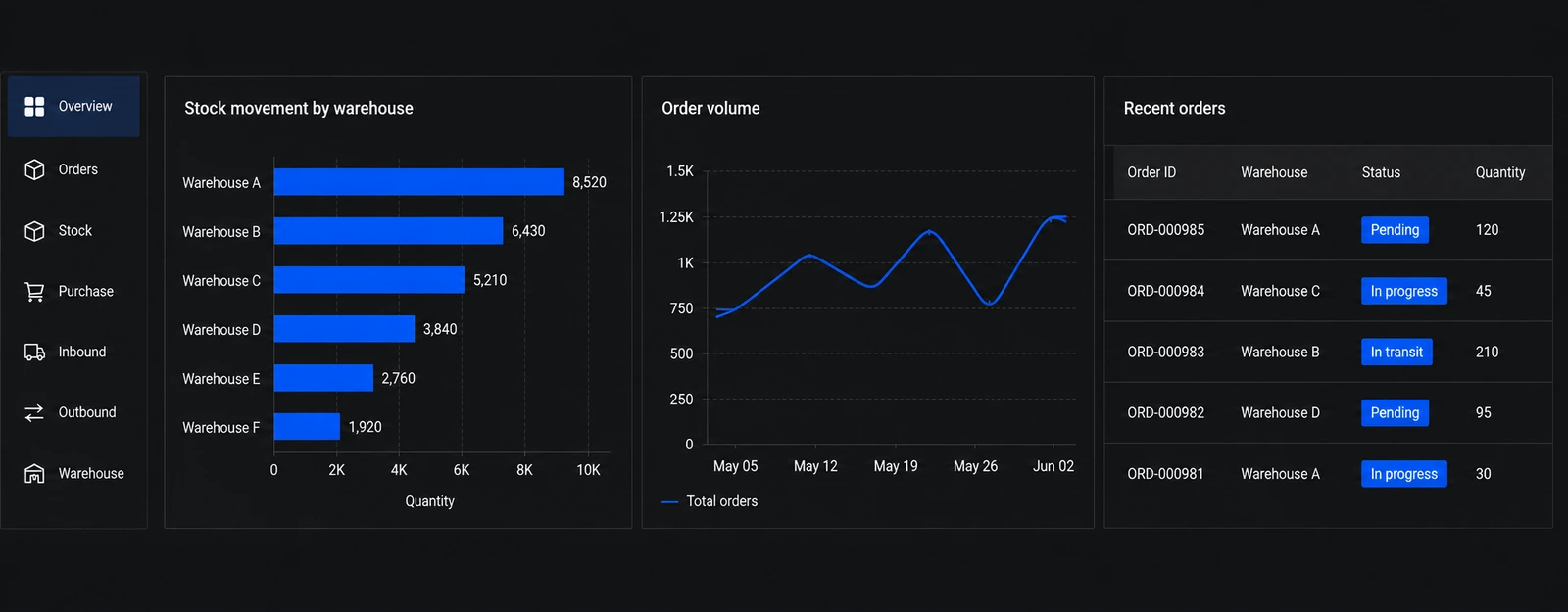
We build modules that talk to each other, so a sales order flows into stock, purchase, production and accounts without anyone re-keying it.
Inventory
Inventory & warehouse management
Multi-location stock, batches and serial numbers, barcode scanning, reorder levels, stock transfers and audits.
Purchase
Purchase & supplier management
Indents, RFQs, purchase orders, GRNs, supplier ratings and approval workflows tuned to your buying process.
Sales
Sales, orders & dispatch
Quotations, sales orders, invoicing, dispatch planning and delivery tracking connected to stock and accounts.
Production
Production & job work
BOMs, work orders, job-work tracking, wastage and batch costing for manufacturers and processors.
Finance
Finance & accounting integrations
Two-way sync with QuickBooks, Xero and NetSuite, plus Zoho Books and Tally, with e-invoicing support and receivables dashboards – keep the accounting tool your finance team trusts.
People
HR, payroll & approvals
Attendance, leave, expense claims and payroll inputs with role-based approvals and audit trails.
Cost
How much does custom ERP development cost?
Custom ERP development cost is driven by module count, integration complexity and data migration scope rather than user numbers. Unlike packaged ERP there is no per-seat licence, so cost is weighted toward a one-time build with an optional support retainer afterwards.
We don’t publish a price range for custom ERP, and we’d suggest treating any firm that does with some caution.
Search this topic and you’ll find ranges spanning $10,000 to $1.5 million. That spread isn’t useful information – it’s a way of appearing to answer the question without answering it. A two-module inventory and purchase build for a single-location distributor and a multi-plant manufacturing system with batch genealogy are not the same project, and no range covers both honestly.
What we do instead: a scoping call, a process map, and a fixed-scope estimate for phase one before you commit to anything beyond discovery. Below is exactly what moves that number, so you can sanity-check any quote you receive – ours included.
Custom ERP development cost in 2026What moves the number
Number of modules in phase one
The largest single driver. One module built properly beats four built thinly. Most first phases cover two to three connected modules.
Integration count and quality
Each connected system adds scope, and not equally. A modern REST API with OAuth and webhooks is straightforward. A legacy system with an XML-over-HTTP interface and no event support needs a middleware and reconciliation layer.
Data migration depth
Migrating current masters and opening balances is routine. Migrating eight years of transactional history with reconciliation against the old system is a project in its own right. Audit your data before anyone scopes this.
Process complexity, not company size
A 20-person manufacturer with job work, batch tracking and multi-stage costing is a larger build than a 200-person distributor running straightforward buy-and-sell.
Roles, permissions and approval chains
Not a licence cost but a build cost. Six role types with location-scoped permissions and multi-step approvals is real engineering.
Compliance and reporting requirements
E-invoicing, VAT, audit trails and statutory formats add scope. Across the GCC this is frequently the reason for the project rather than a side requirement.
How ERP projects work
A phased ERP process that doesn’t stop your operations
We roll out ERPs module by module with parallel runs and real data – so operations never stop while the system goes live.
Discovery & operations mapping
Walk through your order-to-cash and procure-to-pay flows, locations, roles and current tools. Identify the highest-pain module for phase one.
Process maps, module roadmap and a realistic phase-one estimate.
2–3 weeks
ERP architecture & data design
Design masters (items, parties, locations), document flows, permissions and integration contracts with accounting and other tools.
Approved data model, screen designs and integration plan.
2–4 weeks
Build phase-one modules
Develop the first modules in weekly increments, demoing with your real items, parties and documents – not dummy data.
Working modules validated against real operations scenarios.
6–14+ weeks (scope-dependent)
Master data migration, training & parallel run
Migrate masters and opening balances, train supervisors and run the ERP in parallel with existing tools until numbers match.
Confident go-live with reconciled data and trained users.
3–6 weeks
Stabilise, extend & roll out next modules
Tune performance, add reports and automations, then roll out the next modules on the roadmap as adoption solidifies.
An ERP that grows with your operations instead of a big-bang risk.
Ongoing, month-to-month
Panorama Consulting’s 2026 ERP Report, covering 170 organisations, found the most common cause of schedule overrun was organisational rather than technical – governance, resistance to change, process redesign. The parallel-run stage exists because of that finding, not despite it. Panorama Consulting Group, The 2026 ERP Report, n=170, data collected Jan 2025–Jan 2026.
Book an ERP scoping call
Where custom ERPs fit best
ERP projects we take on
These are the ERP engagements we take on – businesses whose operations have outgrown spreadsheets but who aren’t ready to surrender their processes to a heavyweight suite.
First ERP
First ERP for a growing business
Replacing spreadsheets and disconnected tools with core inventory, purchase and sales modules integrated with existing accounting. For trading, distribution and manufacturing SMEs.
Modernisation
Legacy ERP modernisation
Rebuilding old desktop or FoxPro/Access-era systems into modern web ERPs without losing years of data or retraining everyone overnight. For companies stuck on unsupported legacy systems.
Vertical
Industry-specific ERP modules
Job work and batch tracking for manufacturers, multi-location stock for distributors, project billing for services firms. For businesses with flows generic ERPs handle poorly.
Integration
ERP integrations & portals
Connecting an existing ERP with e-commerce, CRM, supplier/customer portals and mobile apps for field or floor staff. This is where most of our operational-software work sits today – custom modules and dashboards built for a trading and distribution business, connecting tools that were never designed to talk to each other. For companies extending systems they already own.
Industries
Industries we build ERP systems for
Operational software is industry-shaped. These are the sectors where the process knowledge transfers, and where a generic suite tends to struggle most.
Manufacturing
Bills of materials, work orders, job work, wastage and batch costing. Multi-stage production where the cost of a finished unit depends on decisions made three steps earlier. Generic suites handle assembly reasonably and process manufacturing poorly.
Pharmaceutical & life sciences
Batch genealogy, expiry and shelf-life tracking, lot recall traceability, and validated audit trails. Regulatory reporting is a build requirement here rather than a reporting afterthought, which is why off-the-shelf configuration so often runs out of road.
Logistics & distribution
Multi-location stock, transfers and allocation, dispatch planning, proof of delivery, and consignment or third-party inventory. The complexity is rarely in any single warehouse – it’s in reconciling stock across all of them in real time.
Accounting & finance operations
Month-end close, multi-entity consolidation, receivables and payables workflows, approval chains and audit trails. Usually built alongside an existing accounting product rather than replacing it.
Next step
Your industry has a process the standard suites handle badly.
That’s usually the reason a custom build gets considered at all. Tell us what it is, and we’ll tell you whether it justifies the project.
GCC compliance
ERP compliance for GCC operations – e-invoicing, VAT and corporate tax
Across the Gulf, e-invoicing mandates are now the most common trigger for an ERP project. If your system can’t produce compliant output, the deadline sets your timeline.
Saudi Arabia
ZATCA Fatoora Phase 2. Rolled out in turnover-based waves, each with its own integration deadline. Compliance requires signed XML in UBL 2.1 format, a QR code, a cryptographic stamp and direct API integration with the Fatoora platform. Penalties run from SAR 5,000 to SAR 50,000. Thresholds have fallen with each wave – Wave 25 halved the threshold to SAR 187,500 in VAT-taxable revenue, with integration due by 1 February 2027.
United Arab Emirates
Mandatory e-invoicing from 2027. A voluntary pilot opened in July 2026. Mandatory adoption begins 1 January 2027 for businesses at or above AED 50 million annual revenue, extending to smaller businesses from 1 July 2027 and government entities from 1 October 2027. Peppol-based five-corner model in PINT AE format via Accredited Service Providers, running alongside the 9% corporate tax already in effect.
Oman
The Oman Tax Authority became a Peppol Authority in January 2026. A pilot began with large taxpayers in August 2026, with phased mandatory rollout from 2027. Oman is the third GCC state to mandate e-invoicing.
Fawtara
Kuwait
No VAT and no confirmed e-invoicing mandate. A 15% Business Profits Tax is phasing in, with advance payments from 2026 and broader application from 2027. Businesses under KWD 1.5 million turnover are initially exempt.
We build systems that emit compliant output natively rather than bolting a compliance module onto software that resists it. If a deadline is driving your project, that date is where we start planning backwards from.
Integrations
Accounting and business system integrations
Most ERP projects don’t replace the accounting system. The finance team trusts it, the auditors accept it, and removing it adds risk for no gain. We connect to it instead.
Modern APIs
QuickBooks Online, Xero, Zoho Books and NetSuite all expose REST APIs with OAuth 2.0, JSON and webhooks. Real-time bidirectional sync is achievable and maintainable.
Legacy systems – the honest version
Tally remains widely used across GCC trading and distribution businesses, and integrating with it is a different exercise. TallyPrime has no REST API; anything advertising one is a wrapper over Tally’s XML layer. XML over HTTP on port 9000 for posting vouchers and pulling masters: synchronous, no webhook support. ODBC is read-only, suitable for BI and reporting, and formally deprecated from TallyPrime 4.0 onward. TDL enables deeper customisation but can break across major version upgrades. Tally operates on the active company only, so multi-company setups need instance switching or separate ports. None of that is a reason to avoid Tally. It’s a reason to budget for a proper middleware and reconciliation layer rather than assuming a two-week connector. We say this before the estimate, not after.
Everything else
Payment gateways, shipping and logistics providers, e-commerce platforms, banking APIs, e-invoicing service providers, BI tools.
Tech stack & platforms
Tech stack we typically use for custom ERP development
ERPs live for a decade or more, so we choose boring, proven technology that your future team – internal or external – can maintain.
Backend & business logic
- Laravel (PHP 8.x) for modular ERP backends with strong audit trails.
- NestJS (TypeScript) where event-driven flows and heavy integrations dominate.
- Queues and schedulers for syncs, alerts and heavy report generation.
Frontend & floor usability
- Next.js (React) with keyboard-first data entry and fast list views.
- Responsive layouts plus barcode and mobile flows for stores and dispatch.
- Role-based dashboards for owners, managers and operators.
Data & integrations
- PostgreSQL/MySQL with strict constraints for inventory and financial integrity.
- Integrations with Tally, Zoho Books, QuickBooks, e-invoicing and banking APIs.
- Report engines and exports your accountants and auditors will accept.
Security & continuity
- Role- and location-based permissions with full audit logging.
- Automated backups, disaster recovery and staged deployments.
- Monitoring and alerting for integrations, jobs and performance.
Running Odoo, an old ERP or Tally-plus-Excel today? We can integrate and extend before we replace – the migration path is part of the plan, not an afterthought.
Outcomes
What an ERP project should actually change
Not projections. These are the operational changes an ERP build is meant to produce, and how you’d know whether yours did.
| What changes | How you’d measure it |
|---|---|
| One source of truth for stock across locations | Cycle-count variance between system and physical |
| Month-end close stops being a reconciliation project | Days from period close to reported numbers |
| Purchase decisions use live stock and pending orders | Frequency of emergency purchases and stockouts |
| Approvals are enforced, not remembered | Share of transactions with a complete audit trail |
| Owners see position without asking anyone | Time from question to answer |
| Compliance output is generated, not assembled | Hours per filing period |
A note on sourcing
A note on sourcing
We don’t quote a headline ERP failure rate. The widely-circulated figures attributing 55–75% failure rates to Gartner have no traceable primary source. What is documented: Panorama Consulting’s 2026 report found more than a quarter of projects ran over budget and almost a quarter over schedule, across 170 organisations with a median nine-month timeline.
Why QalbIT
Why work with us on ERP
Eight years inside operational software
120+ engagements delivered across web, mobile and platform work, with 50+ clients. Clutch 5.0, Google 4.9, Upwork Top Rated. Our ERP work to date has centred on extending and integrating existing systems – custom modules and dashboards for a trading and distribution business, connecting tools that weren’t built to talk to each other.
Phased rollout, parallel run, no big bang
The most common cause of ERP schedule overrun is organisational, not technical. We roll out module by module and run in parallel with your existing tools until the numbers reconcile. Slower on paper, considerably less likely to stop your operations.
You own the code
Full source ownership, documented, in your repository. No licence, no per-seat fee, no restriction on hiring a different team later.
Senior team, founder-led
A small senior team with direct access to the people writing the code. You won’t be handed to an account manager who relays questions to engineers you never meet.
We’ll tell you not to build
When a packaged product genuinely fits, we say so on the first call. It costs us a project and saves you a year.
FAQs · Custom ERP development
Frequently asked questions about custom ERP development
These are the questions owners, operations heads and finance teams usually ask when they compare a custom ERP with packaged suites like SAP, Odoo or Tally-plus-spreadsheets setups.
Talk to the teamNext step
Let’s scope the first module.
Tell us how orders, stock and purchasing move through your business today. We’ll map the process, identify which module earns its place first, and give you an honest estimate with a phased rollout plan. If a packaged product is the better answer, we’ll tell you that instead. Typically a reply within 24–48 hours, with questions rather than a brochure.
Further reading
 ERP
ERPOct 16, 2026
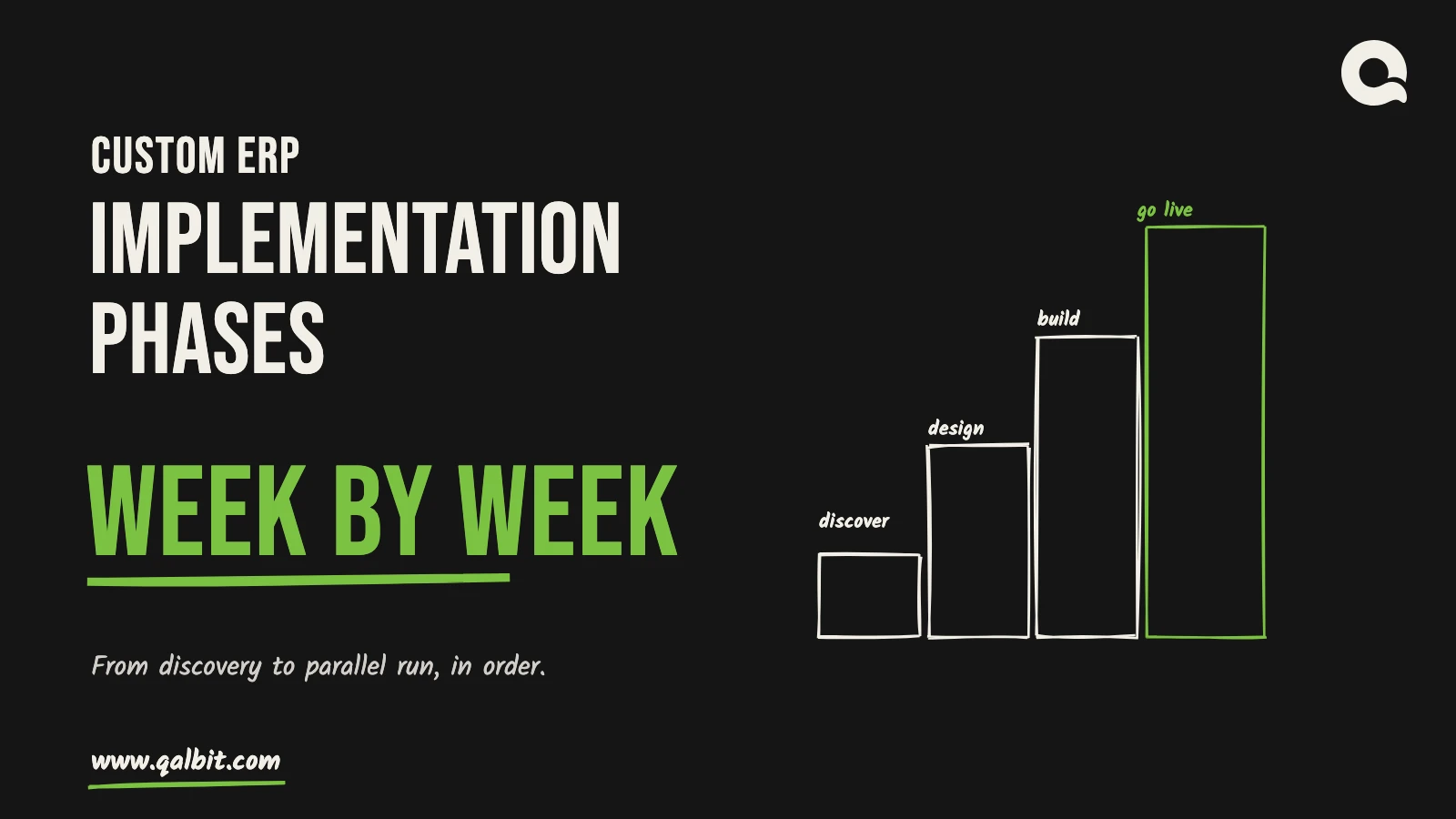
ERP Implementation Phases, Week by Week
Five phases from discovery to the parallel run, with the weeks each takes, what your team does in each, and where the schedule usually slips.
 ERP
ERPJul 17, 2026
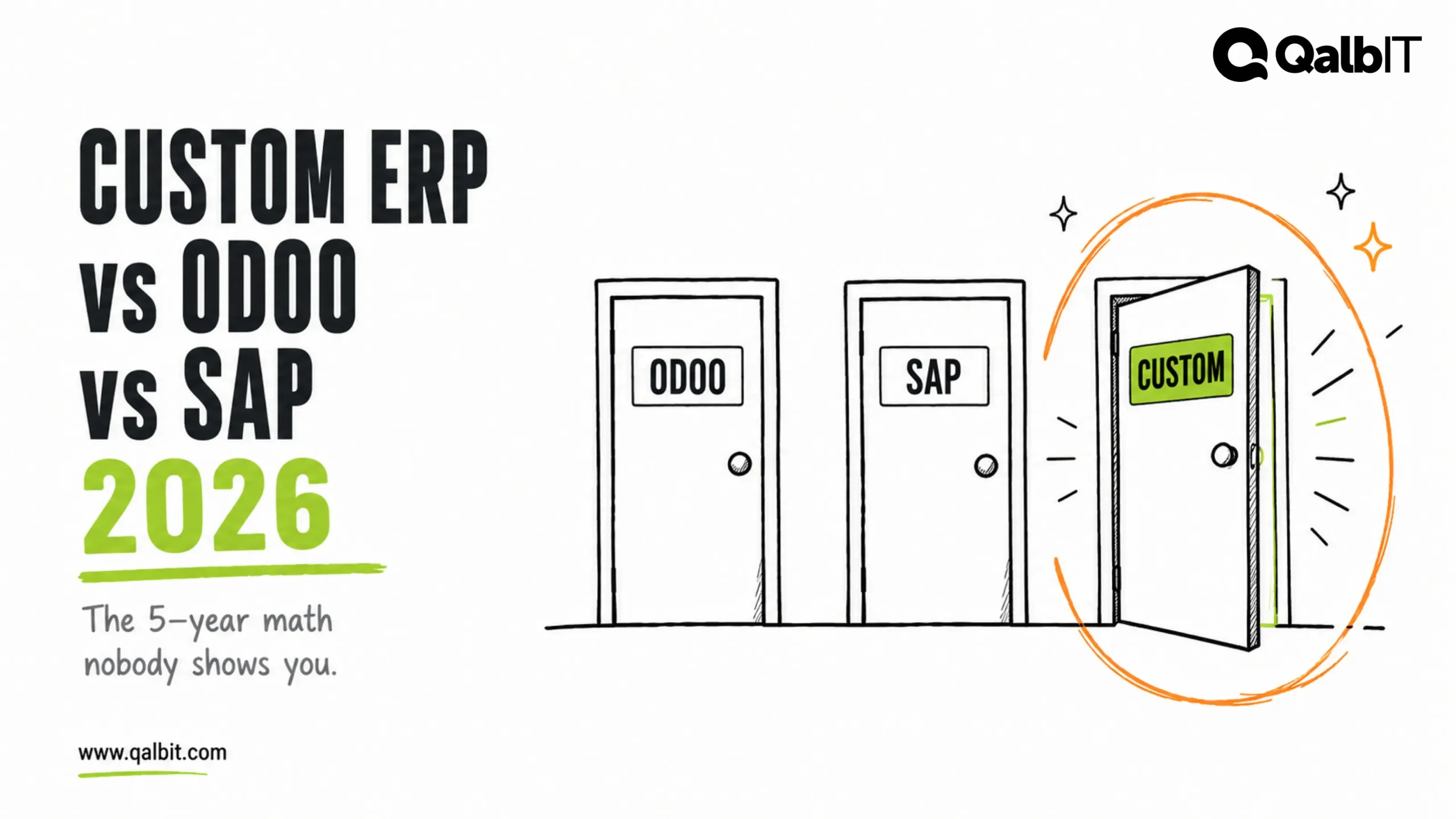
Custom ERP vs Odoo vs SAP: What Growing Businesses Should Choose in 2026
Every SME outgrowing spreadsheets faces three doors: Odoo, SAP, or custom. Here’s the honest 2026 comparison — real licence prices, five-year math…
 ERP
ERPJul 12, 2026
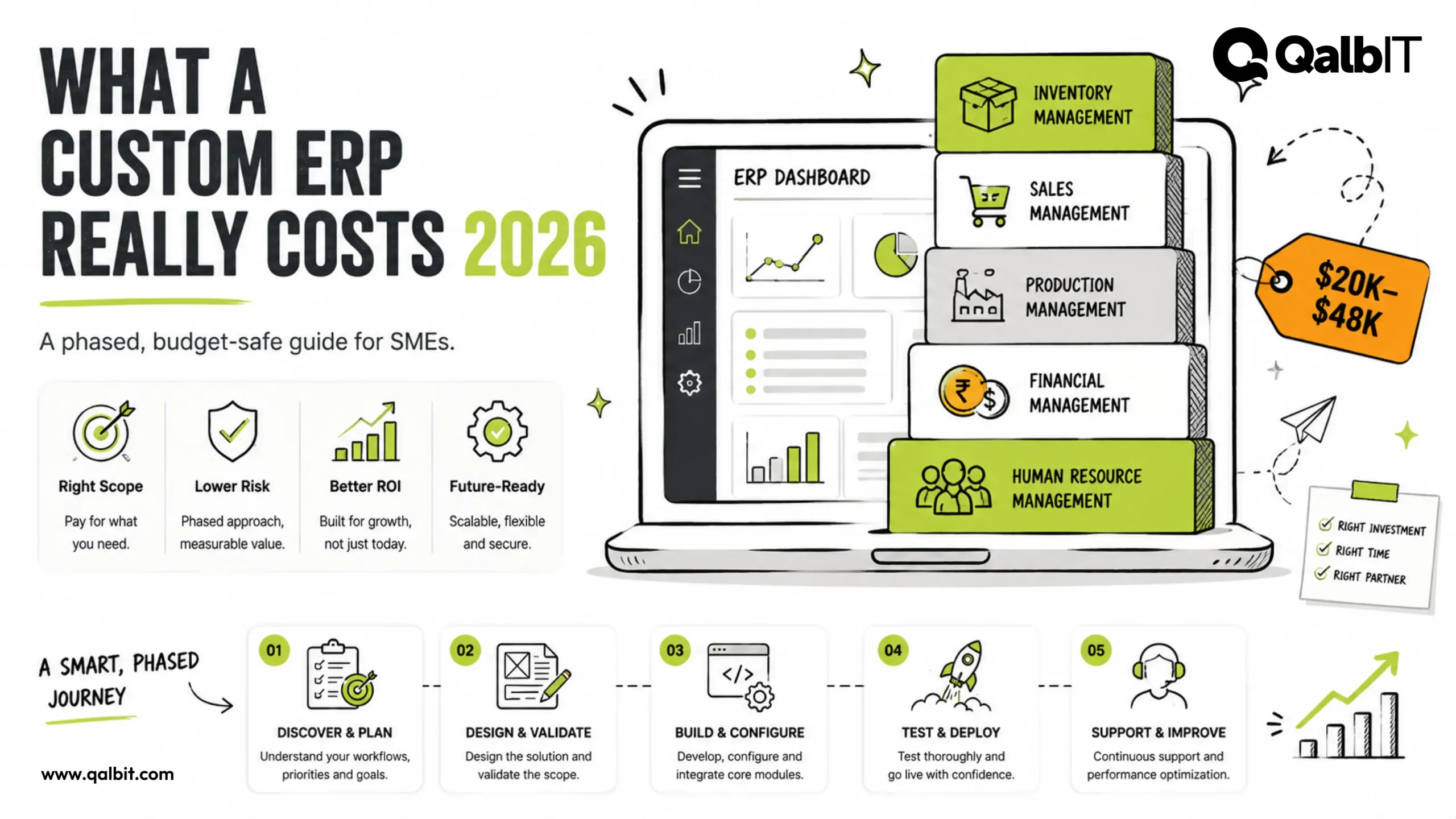
Custom ERP Development Cost in 2026: A Realistic Guide for SMEs
Custom ERP development costs $19,000–$52,500 for a phase-one SME rollout in 2026. Module pricing, the costs vendors skip, and a phased plan.