Services · Custom CRM software development
Custom CRM Development Services
Salesforce Sales Cloud Enterprise lists at $175 per user per month. HubSpot charges a mandatory $1,500 onboarding fee on Sales Pro before your team logs in once. Both numbers are from the vendors’ own pricing pages, and both went up last year.
We build CRM software you own outright. Your pipeline, your fields, your customer data, on infrastructure you control. No per-seat tax, no feature tiers, no renewal negotiation every January.
2018
Building operational software since
5.0
Clutch rating
4.9
Google rating, 18 reviews
Get your free estimate
Three quick questions: scope, approach and a price range back within 48 hours. No sales call required first.
Definition
What is custom CRM development?
Custom CRM development means building a customer relationship management system around one company’s sales process, data model and reporting needs instead of configuring a commercial product. The business owns the source code and the database outright, and pays no per-seat licence fee.
The difference isn’t really technical. Salesforce, HubSpot and Zoho are good software. Millions of companies run on them and most of those companies made the right call.
The difference is who absorbs the mismatch. Configure a commercial CRM and your process bends toward the product’s assumptions about how selling works. Some of that bending is healthy. Some of it ends with your team keeping a shadow spreadsheet because the CRM can’t hold the one field the business actually runs on.
The second difference is the shape of the cost. Commercial CRM is a subscription that scales with headcount and never ends. A custom build is weighted toward a one-time cost with a support retainer after. Neither is automatically cheaper. Which one wins depends almost entirely on how many people will use it and for how long.
At a glance
Core focus
Custom CRMs for sales, service and operations
Engagements
First CRM builds · migrations off commercial CRM · CRM–ERP integration
Delivery
Fixed-scope first release, then module by module
Markets
US · UK · EU · GCC · Australia
What a seat costs
What a commercial CRM seat actually costs
Credit where it’s due: unlike the ERP vendors, the CRM companies publish their prices. Salesforce lists every edition on a public page. So do HubSpot, Zoho and Microsoft. You can check all of it yourself, which is exactly what we’d suggest doing before signing anything. Here’s what they publish. Per user per month, billed annually, US pricing, accessed August 2026. Four things that table doesn’t show are listed under it.
| Vendor | Entry | Mid | Top |
|---|---|---|---|
| Salesforce Sales Cloud | Starter Suite $25 | Pro Suite $100 · Enterprise $175 | Unlimited $350 · Agentforce 1 Sales $550 |
| HubSpot Sales Hub | Starter ~$15 | Professional $90 | Enterprise ~$150 |
| Microsoft Dynamics 365 Sales | Professional $65 | Enterprise $105 | Premium $150 (10-user min) |
| Zoho CRM | Standard $14 | Professional $23 · Enterprise $40 | Ultimate $52 |
| Freshsales | Growth ~$9 | Pro ~$39 | Enterprise ~$59 |
| monday CRM | Basic $12 | Standard $17 | Pro $28 |
01
The API can be an add-on.
On Salesforce Pro Suite, Web Services API access costs an extra $25 per user per month. It’s included from Enterprise up. If your CRM needs to talk to anything else, and it will, that’s a line item most buyers don’t see until they’re committed.
02
Sandboxes are a tier gate.
A full sandbox is included at Unlimited, which is $350 per user per month. On Enterprise it’s available for purchase. That’s the cost of testing a change before it hits your live pipeline. On Pro Suite, Flow Builder caps at five flows per org.
03
Onboarding is mandatory.
HubSpot charges a one-time $1,500 fee on Sales Hub Professional and $3,500 on Enterprise. It lands on the first invoice. Paying annually up front doesn’t waive it.
04
The price goes up.
Salesforce announced on its own newsroom that list prices rose an average of 6% on 1 August 2025, hitting Enterprise and Unlimited editions of Sales Cloud, Service Cloud and Field Service. That followed a 9% increase in 2023. Separately, annual uplift clauses in enterprise order forms commonly compound at renewal, contract-specific rather than published, so read yours.
Sources: salesforce.com/sales/pricing, HubSpot pricing documentation, Microsoft Dynamics 365 pricing, Zoho, Freshworks, monday.com. Accessed August 2026. Prices change. Check before you budget.
What a seat costs
Run the arithmetic yourself
Drag to check the maths against the published rates above. Nothing here is an estimate of our own. It is the vendors’ list pricing multiplied out.
HubSpot Sales Professional, year one
$90 per seat plus the $1,500 onboarding fee
$28,500
Salesforce Enterprise, every year
$175 per seat per month
$52,500
Salesforce Enterprise across five years
before any uplift at renewal
$262,500
Zoho CRM Standard, every year
$14 per seat per month, the one you probably shouldn’t beat
$4,200
Neither figure is a scandal. Both are what the vendors publish. The question is whether year five still looks acceptable, because year five is when the subscription model gets tested.
Build vs buy
When you should buy instead
Zoho CRM Standard is $14 per user per month. Ten salespeople running an ordinary pipeline costs $1,680 a year. You are not going to beat that with a custom build, and we won’t pretend you can.
Buy commercial when
- Buy commercial when your sales process is conventional. Lead, qualify, demo, propose, close. If your pipeline looks like everyone else’s, a product built for everyone’s pipeline will fit.
- Buy when you’re under roughly 25 users with no steep growth curve. The per-seat maths only turns against you at scale.
- Buy when you need to be running next month. Discovery, design and a first release take weeks. A Zoho trial takes an afternoon.
- And buy when nobody internally will own the system. Custom software needs a person who cares about it. If that person doesn’t exist, buy something with a support contract attached.
Custom wins when
- Custom wins at scale, where the per-seat tax compounds into real money.
- It wins when your process is genuinely unusual and the workaround is costing you deals.
- It wins when data can’t leave a jurisdiction.
- And it wins when you’d rather hold an asset than a renewal date.
What commercial CRM gives you that a custom build won’t match
Being straight about this matters more than the pitch. Salesforce’s AppExchange holds thousands of pre-built integrations. Building an equivalent connection library from scratch isn’t a project anyone should attempt. Mobile apps with offline sync, refined across a decade of field-sales feedback, are genuinely hard to replicate. AI features get updated continuously without you funding the development. Compliance certifications arrive pre-audited. And when something breaks at 2am, there’s an SLA behind it. A custom CRM gets you exactly what you specify. It does not get you an ecosystem.
Next step
We’ll tell you to stay on Zoho if that’s the answer.
Send your seat count, your current CRM and what it costs. If a commercial product fits, you’ll hear it on the first call, not after a proposal.
What we build in custom CRMs
CRM modules we build
From lead capture to renewals, we build the CRM modules your team needs now and leave room for the ones you will need next year.
Sales
Lead & pipeline management
Lead capture from web forms, portals and campaigns, with custom pipelines, stages, scoring, assignment rules and follow-up automation.
Accounts
Customer 360 & account management
One profile per customer combining contacts, deals, orders, invoices, documents, tickets and every conversation – no more tab-hopping.
Revenue
Quotes, orders & renewals
Quotation builders, approval flows, order tracking and renewal reminders connected to your pricing and product catalogue.
Integrations
CRM–ERP & third-party integrations
Two-way sync with ERPs, accounting software, telephony, WhatsApp/email and marketing tools so data is entered once and flows everywhere.
Vertical
Vertical CRM solutions
Industry-specific CRMs – real estate (inventory, site visits, brokers), healthcare (patients, appointments), fintech (KYC, onboarding) and more.
Insights
Reporting, dashboards & AI assist
Custom KPI dashboards, funnel analytics and exports – plus optional AI features like conversation summaries and next-best-action hints.
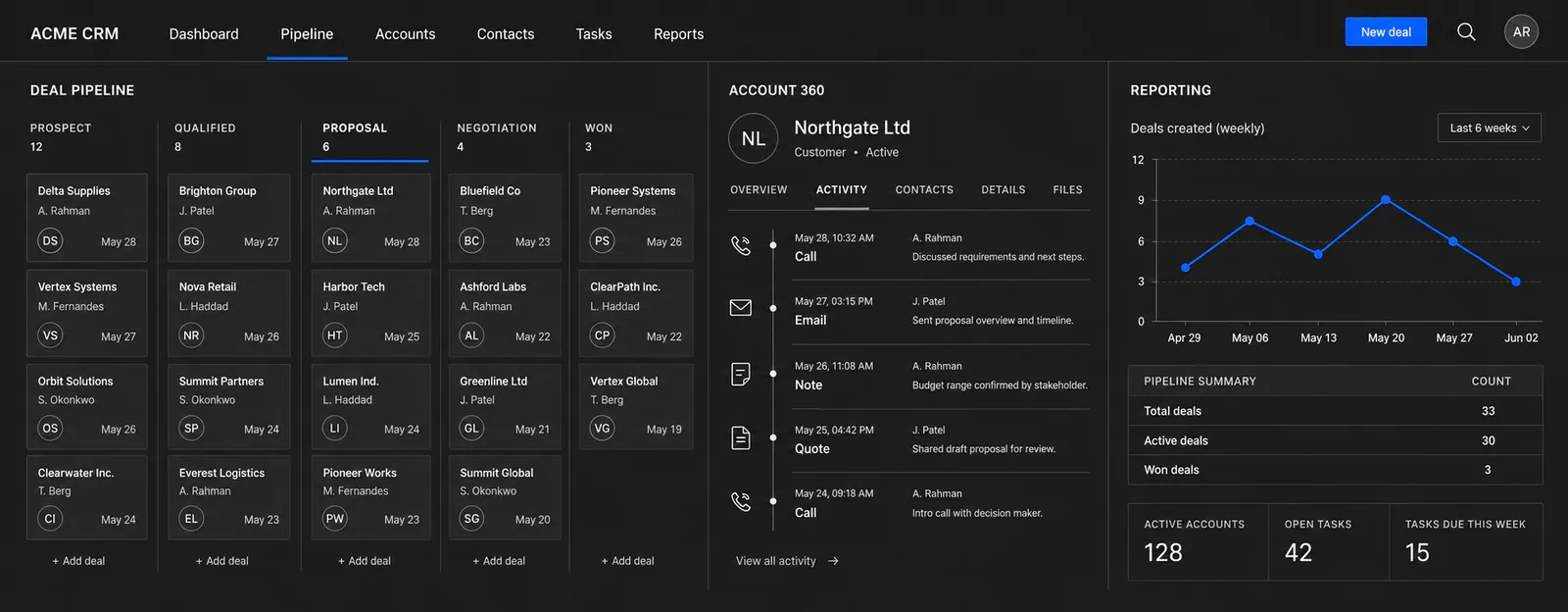
Cost
How much does custom CRM development cost?
Custom CRM development cost is driven by module count, integration complexity and data migration depth rather than user numbers. There is no per-seat licence, so the cost is weighted toward a one-time build with an optional support retainer.
We don’t publish a price range, and the reason is worth explaining.
Search this and you’ll find guides quoting $20,000 to $360,000. That spread isn’t an answer. It’s a way of appearing to answer while committing to nothing. A pipeline-and-contacts CRM for a twelve-person agency and a multi-region system with ERP sync and residency requirements are not the same project.
What we do instead: a scoping call, a workflow map, and a fixed-scope estimate for the first release before you commit to anything beyond discovery.
Here’s what moves the number.
Custom CRM development cost in 2026What moves the number
Modules in the first release
Leads, pipeline and a customer 360 view is a different build from that plus quoting, renewals and a service desk. Most first releases we scope cover three to four connected modules.
Integration count, and what you’re integrating with
Not all integrations cost the same. A modern REST API with OAuth and webhooks is straightforward. Telephony, WhatsApp Business and older ERPs need middleware and reconciliation logic. What you’re connecting to matters more than how many.
Migration depth
Contacts and companies are routine. Deal history, email threads, call recordings and attachments are not, and some of it may not be exportable at all, depending on what you’re leaving.
Roles and permission complexity
Field-level permissions, territory rules and multi-step approvals are engineering, not configuration.
Compliance requirements
HIPAA, GDPR erasure workflows or data residency change the architecture rather than adding a feature. Scope them at the start or pay for them twice.
Whether you need a mobile app
A responsive web CRM covers most teams. Field sales with offline capture is a second product. Decide early.
How CRM projects work
A CRM process built around adoption, not launch
CRMs fail when teams do not use them. Our process is built around early adoption – small releases, real data and feedback from the people who will live in the CRM every day.
Discovery & sales-process mapping
Map your lead sources, sales stages, service flows, teams and reports. Audit current tools, spreadsheets and data quality.
Documented workflows, data model draft and a prioritised module list with cost estimates.
1–2 weeks
CRM design & data architecture
Design pipelines, entities, permissions, integrations and key screens. Plan migration from existing CRMs or spreadsheets.
Approved designs, integration contracts and a migration plan that protects your data.
1–3 weeks
Build core CRM modules & integrations
Develop leads, accounts, pipelines and dashboards in small increments with weekly demos to your sales and service leads.
A working CRM covering your core workflows, tested with real scenarios.
4–10+ weeks (scope-dependent)
Data migration, training & go-live
Migrate and de-duplicate customer data, train team leads, run a parallel period if needed and cut over safely.
Your team working in the new CRM with clean data and clear ownership.
2–4 weeks
Adoption tuning & roadmap
Watch real usage, remove friction, add automations and roll out the next modules – renewals, service, marketing – on a steady cadence.
A CRM that keeps pace with your sales process instead of falling behind it.
Ongoing, month-to-month
A CRM nobody updates is a spreadsheet with a login page. The first release goes to a small group of real users with real data rather than to everyone at once, because the friction shows up in week two and it’s cheaper to fix then.
Book a CRM scoping callWhere custom CRMs fit best
CRM projects we take on
These are the CRM engagements we take on – teams running on spreadsheets and shared inboxes, or paying for a commercial CRM they’ve outgrown in one direction and underuse in another.
First CRM
Replacing spreadsheets & shared inboxes
Moving lead lists, follow-up trackers and customer data out of Excel and email into a structured CRM with history and accountability. For SMEs and growing sales teams.
Migration
Migrating off Salesforce, HubSpot or Zoho
Replacing expensive or over-complex off-the-shelf CRMs with a leaner custom system that matches your process and cuts licence costs. For teams paying for features they never use.
Vertical
Vertical CRMs for specific industries
Real estate CRMs with inventory and site visits, healthcare CRMs with patient journeys, fintech CRMs with KYC and onboarding flows. For real estate, healthcare, fintech and services businesses.
Integration
CRM–ERP integration & customer portals
Connecting sales data with ERP, accounting and inventory systems, and adding self-service portals for customers and partners. For companies with disconnected front and back office.
Verticals
Where the standard CRMs run out of road
Sometimes the reason for a custom CRM isn’t workflow fit. It’s that the compliance requirement sits behind a pricing tier.
Healthcare
HubSpot will sign a Business Associate Agreement, but only on Enterprise editions with sensitive data enabled, a capability that became generally available in September 2024. Patient data held on lower tiers before that isn’t retroactively covered. Salesforce signs BAAs too, but coverage is product-specific rather than blanket, with Health Cloud as the HIPAA-eligible product. AppExchange apps count as separate business associates and need their own agreements.
Real estate
Property inventory, site-visit scheduling, broker splits and commission structures. Standard CRMs model a deal as one object with a value and a close date. Real estate deals aren’t shaped like that, which is why so many agencies end up running a CRM alongside a parallel spreadsheet.
Professional services
Retainers, project-linked billing, and renewals where one client relationship runs for years. Pipeline software built around one-time transactions handles recurring relationships badly.
The practical version: the compliance you need may force you into the tier you didn’t budget for. A CRM on infrastructure you control removes the gate entirely.
Next step
If compliance is driving this, start from the deadline.
Tell us the requirement, HIPAA, GDPR erasure, data residency, and we’ll work backwards from it instead of bolting it on at the end.
Data residency
Where your data lives
European Union
GDPR Articles 17, 19 and 83(5). For EU customer data, GDPR Article 17 gives individuals a right to erasure, answered within the one-month window Article 12 sets for any data-subject request, and Article 19 requires passing that request to anyone you shared the data with. Penalties under Article 83(5) reach €20 million or 4% of worldwide annual turnover, whichever is higher. Building erasure and export as native workflows is more straightforward than assembling them from a vendor’s toolset.
United Arab Emirates
Federal Decree-Law No. 45 of 2021. Salesforce has offered UAE in-country residency through Hyperforce since December 2023, worth knowing that region assignment is a contractual item on the order form, not a setting you toggle.
A custom build can be hosted wherever the requirement says, including markets where the major vendors have no local region at all.
Migration
Getting your data out of a commercial CRM
Worth checking before you sign, not after you decide to leave. Export capability varies more than people expect, and the gaps are rarely where you’d look for them.
HubSpot
The Exports API allows up to 30 exports in a rolling 24-hour window, processed one at a time, and each download URL expires five minutes after the export completes. Contacts, companies, deals, activities, form submissions and inbox data all come out. Export is available on every plan, including the free CRM. What doesn’t come out as a file: workflow configurations, sequence definitions and some dashboard settings. Those get documented and rebuilt. Budget for it. It’s usually the part that surprises people.
Salesforce
The Data Export Service plus the Bulk API handle full extraction, including activity history and attachments. Salesforce publishes its limits: Enterprise Edition gets 100,000 API requests per 24 hours as a base, plus 1,000 per user licence. Large migrations get planned around that ceiling rather than run in one pass.
Zoho
Native export handles high record volumes. Attachments migrate separately and hit limits that can require multiple runs.
The point: migration is planned at the start of a project, not near the end. We map fields, de-duplicate, run verification reports your team can check, and keep the old system live in parallel until the numbers reconcile.
Integrations
What the CRM needs to talk to
Integration is the most common reason clients end up choosing custom. Not because commercial CRMs can’t integrate, but because the specific connection they need sits behind a tier, an add-on, or a middleware subscription.
Accounting and ERP
QuickBooks Online, Xero, Zoho Books and NetSuite expose modern REST APIs with OAuth and webhooks. Two-way sync of customers, invoices and payment status is achievable and maintainable. Older ERPs need a middleware layer, which we scope explicitly rather than assume.
Communication
This is where CRM adoption is won or lost. Click-to-call with automatic logging, so the activity record writes itself. WhatsApp Business as a first-class channel rather than a screenshot pasted into a note. Email threading against the account and the deal, not just the contact. If logging a call takes three clicks, reps stop logging calls.
Everything else
Marketing platforms, e-signature, payment gateways, customer portals, BI tools.
Tech stack & platforms
The stack we build CRMs on
We use the same proven stack that powers our custom software work – chosen for maintainability, integration options and long-term cost of ownership.
Backend & business logic
- Laravel (PHP 8.x) for modular CRM backends with clean role-based access.
- NestJS (TypeScript, Node.js) for API-first CRMs and event-driven automation.
- Background jobs and queues for follow-up reminders, scoring and syncs.
Frontend & user experience
- Next.js (React) dashboards with keyboard-fast pipelines and list views.
- Tailwind CSS design systems for consistent, responsive interfaces.
- Mobile-friendly layouts or companion apps for field sales teams.
Data & integrations
- PostgreSQL/MySQL with careful indexing for fast search and reporting.
- REST APIs and webhooks for ERP, accounting, telephony and marketing tools.
- Import/export tooling and de-duplication for clean migrations.
Security & reliability
- Role-based access control, field-level permissions and audit logs.
- Encrypted backups and environment isolation for production data.
- Monitoring and alerting so sync failures never go unnoticed.
Already using an off-the-shelf CRM? We can also build extensions and integrations around it first, and only replace it when the business case is clear.
Outcomes
What should be different six months after go-live
Not projections. These are the things a CRM project is supposed to change, and how you’d check whether yours did.
| What changes | How you’d measure it |
|---|---|
| Reps update the CRM without being chased | Share of deals with activity in the last 7 days |
| One record per customer, not one per system | Duplicate rate after de-duplication |
| Forecast reflects reality | Variance between forecast and actual close |
| Handovers stop losing context | Time for a new owner to get up to speed on an account |
| Leadership stops asking for reports | Time from question to answer |
| Licence spend stops growing with headcount | Cost per user, year three vs year one |
A note worth publishing
$3.10, not $8.71
You’ll see “$8.71 returned for every dollar spent on CRM” quoted right across this industry. It comes from Nucleus Research, in 2014. Nucleus’s current figure is $3.10, and their analyst Cameron Marsh describes it as a 37% decline over the decade. We’re pointing at that because the honest number is more useful than the flattering one. CRM returns have fallen as the market matured and licence costs climbed. That’s the environment you’re actually buying in.
Why QalbIT
Why work with us on CRM
We built a CRM that doesn’t charge per seat
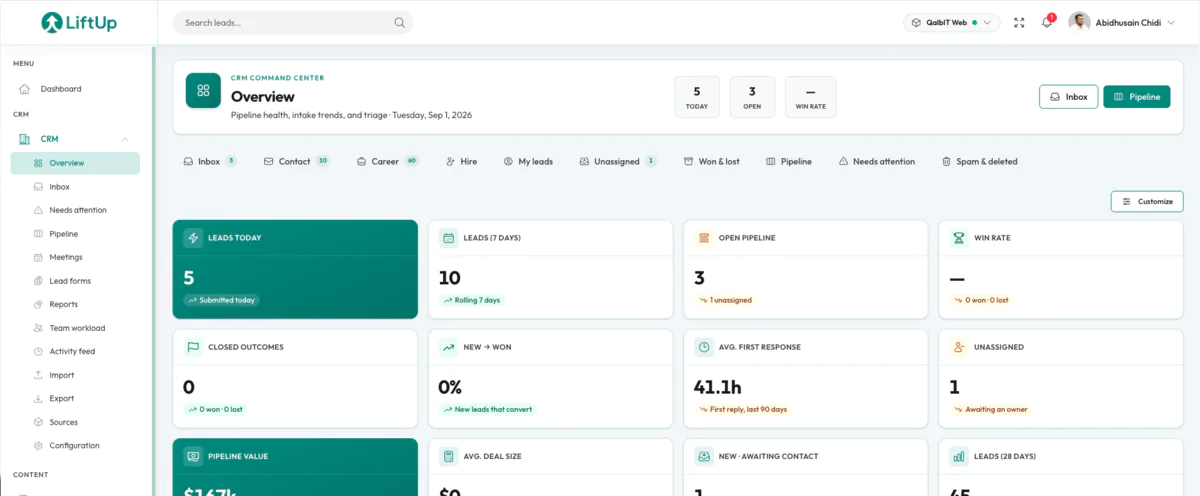
LiftUp (liftup.sh) is our own multi-tenant CRM and operations console. It’s live, it has paying customers, and it starts at $149 a month billed per workspace, not per user. Four modules share one product registry: CRM, content, AI editorial and analytics. Every registered site gets its own scoped everything, with a rotatable lead API key, leads scoped to the site that captured them, permission scoping so a team member sees only what they’re assigned to, and GA4 and Search Console pulled into the same view rather than a separate tab. We mention it because the architecture questions you’re weighing on a custom CRM, multi-tenancy, permission scoping, lead capture APIs, analytics that actually connect, are ones we’ve already solved in production and live with every day.
And if LiftUp fits, we’ll sell you LiftUp
Fair question to ask: if we have our own CRM, why would we build you a different one? Because LiftUp fits a specific shape. Agencies running multiple client sites, founders shipping several products, teams who want lead capture, content and analytics in one console. It doesn’t fit a manufacturer with territory-based commission splits, or a clinic that needs patient data on its own infrastructure with a signed BAA. Those need a build. Three honest answers exist to “what CRM should we use,” and we can give you all three: buy commercial, buy LiftUp, or build custom.
We’ll model it against your current bill
Not against zero. Bring your last invoice to the scoping call and we’ll compare five years honestly, including the outcome where staying put wins.
You own the code and the data
Full source ownership in your repository, documented, hosted where you need it. No per-seat fee, no tier gates, no export limits when you want your own data back.
We publish our sources
Every vendor price on this page comes from the vendor’s own page, with the date we checked it. If we won’t guess about Salesforce’s pricing, we won’t guess about your project either.
FAQs · Custom CRM development
Frequently asked questions about custom CRM development
These are the questions founders, sales leaders and operations teams usually ask when they compare a custom CRM with off-the-shelf tools like Salesforce, HubSpot or Zoho.
Talk to the teamNext step
Bring your current CRM invoice to the call.
Tell us how many people would use the system, what you pay today, and which part of your process the current tool can’t hold. We’ll map it, scope a first release, and compare five years of ownership against five years of licences. If the honest answer is that you should stay where you are, we’ll say so. Reply within 24–48 hours, with questions rather than a brochure.
Further reading
 CRM
CRMJul 12, 2026
Custom CRM vs Salesforce, HubSpot & Zoho: Which One Actually Fits Your Business?
Build or buy your CRM? We compare custom CRM development against Salesforce, HubSpot and Zoho on real 2026 pricing, three-year cost of ownership for…
 CRM
CRMJul 12, 2026
Custom CRM Development Cost in 2026: Real Numbers, Module Breakdown & ROI
Custom CRM development costs $10,500–$30,000 for a typical first release in 2026. Module-by-module ranges, hourly rates and 3-year licence math.