
Key takeaways
- Buy a packaged ERP when your processes are standard; build only where a package would bend the process customers pay you for.
- Count every login for five years: on seat fees alone, the build-or-buy crossover usually falls between 30 and 50 users.
- List each system the ERP must connect to and how; several systems with no maintained connector strengthen the case to build.
- A hybrid keeps a packaged core such as accounting and adds custom modules, but each master record needs exactly one owner.
- Do not build without an internal owner or a written process map, or when you must be live in about eight weeks.
- Check the money in the build vs buy calculator, then let process fit settle any close result.
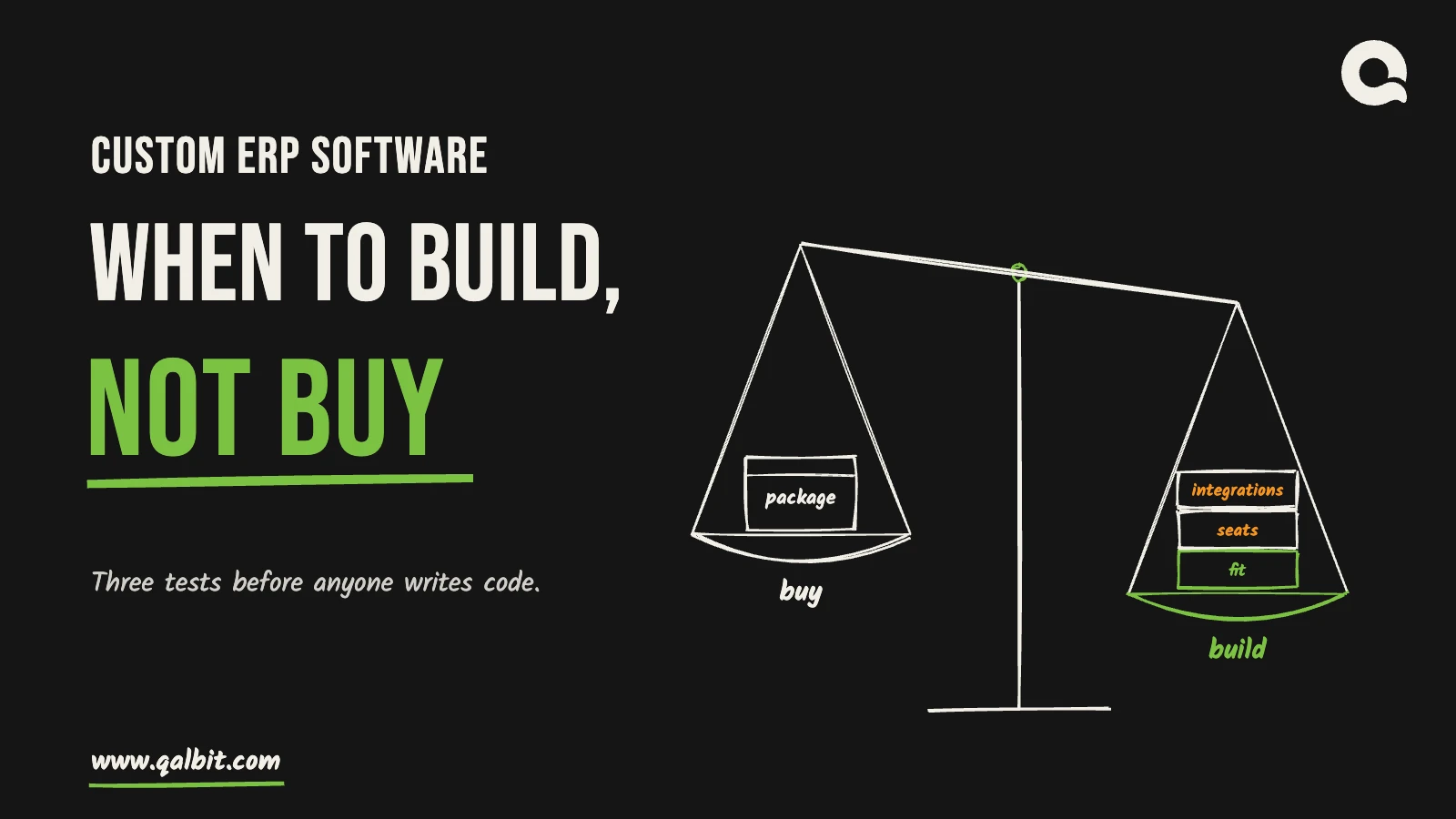
The method has three tests: process fit, per-seat cost and integration load. Each one uses evidence you can gather in a week. Where the tests disagree, a hybrid usually wins, with a packaged core and custom modules around it. If the answer is to build, our custom ERP development page shows how we scope and phase the work. For a priced, line-by-line example outside ERP, read our five-year cost comparison of custom software and an off-the-shelf licence. This post stays with ERP.
What custom ERP software is, and what it is not
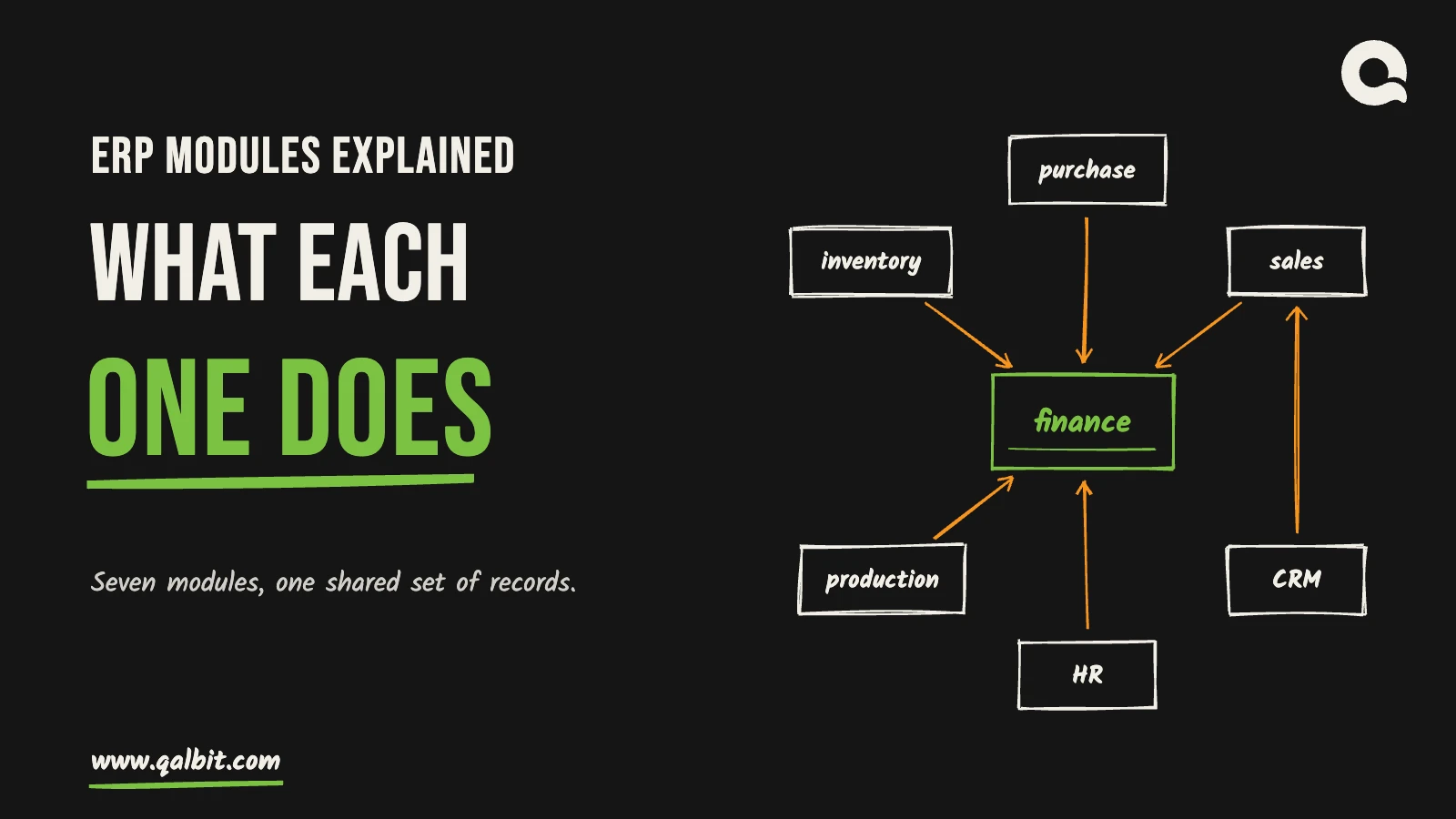
Custom ERP software is an ERP system written for one company and its own way of working. It usually joins up some of inventory, purchasing, sales, production, HR and finance, as modules that share one set of records. The company owns all of the source code. Nothing is licensed and nobody pays per seat, so most of the cost comes once, at the build, with optional support afterwards.
Three other things get called custom ERP, and each is something else:
- ERP implementation. You license a packaged product and pay a partner to set it up. The software stays the vendor’s.
- ERP customisation. You extend that licensed product with modules, fields and reports of your own. You still pay the licence, and the code you added has to keep working through every vendor upgrade.
- A bookkeeping product. Accounting with some stock tracking is bookkeeping, not ERP, whatever the product calls itself.
A custom build is also rarely a full replacement. On most ERP projects the accounting product stays, because the finance team trusts it and the auditors accept it, and ours connect to it instead of replacing it. So “custom” describes who the operational system is written for. It does not mean throwing away everything you run today.
The honest default: buy when the process is standard
For most small and mid-sized businesses, buying is the right call. The Business Development Bank of Canada says much the same in its guide on choosing a custom or packaged ERP, updated on 17 August 2026. For most smaller firms, it argues, picking the packaged system that fits best costs less over time and carries less risk. It also advises against customising a package wherever you can avoid it, since heavy changes tend to need redoing at each upgrade.
We agree, and we act on it. We turn down ERP projects where a packaged product would do the job, and the buyer hears that from us in the first conversation. A custom build that a package could have matched is an expensive way to arrive at the same place.
Who should not build custom ERP software
Stop here and buy a package if one of these describes you:
- A date about eight weeks away. Your order, purchase and stock flows look like everyone else’s, and go-live is roughly two months out. Configuration can meet that date. A first build phase cannot.
- A small team. Fewer than fifteen staff will log in, and your workflows are ordinary ones. At that size the seat bill stays modest and a package’s defaults tend to fit.
- No owner. Nobody on your side will take charge of the system after launch, and nobody wants that job.
- Bookkeeping in disguise. The real need is accounts plus a little stock control. A bookkeeping product covers that, and an ERP of any kind is more than you need.
- No written process yet. A build is planned and priced from a written scope. Until you can describe how an order travels through the business, start with a package.
The ownership point catches most people. A custom ERP needs one person on your side who decides what changes, keeps the roadmap and gets back to the developers within a day or two. Without that person the system drifts. In that case a vendor’s roadmap is the safer one to follow.
Three signals that justify custom ERP software
If none of those exclusions applies, run the three tests in order. Process fit carries the most weight, because no saving on seats makes up for a system your staff work around. The seat count and the integration list then show how strong the case is, and whether a hybrid would be enough.
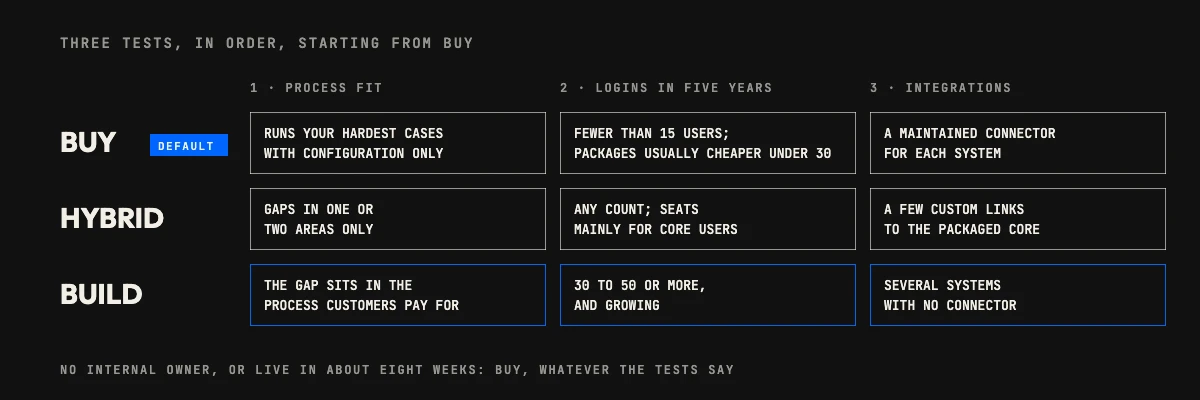
Process fit: find where a package bends the business
Take your two or three hardest real cases to a package demo. Think of an item bought in cartons and sold as single units, or a batch that must be traced back to its supplier. Stock promised to one customer from three warehouses is another good test. Ask the vendor to run each case live, with configuration only and no custom code.
Then count the workarounds you already live with. These are the spreadsheets kept beside the current system, the figures typed in twice and the approvals that happen on a phone because no screen holds them. Each one marks a spot where the software and the process disagree.
What matters is where the gap sits. Suppose the package struggles with your edge: job work, tracing a batch through every stage, allocating stock across several sites, consignment or project billing. Then the software would flatten the very thing customers pay you for. In our view, generic suites cope reasonably with assembly and poorly with process manufacturing. If the gap is only habit, however, change the habit and buy.
Per-seat cost: count every login, including the floor
A per-user subscription is billed for every user, every month, for as long as you run it. The yearly cost is users times seat price times twelve. At 40 users, each $10 of monthly seat price adds $4,800 a year, or $24,000 over five years. Headcount growth and yearly price rises push that figure up. A build has no seat meter, so twenty more logins in the warehouse add no licence fee.
Count everyone who will need a login within five years, not only the office. Stores, dispatch, the shop floor and field staff all count. If a suite sells a cheaper limited-use seat, price the mix you would really buy. On our numbers, the five-year crossover, where a build becomes cheaper, usually comes at 30 to 50 users. Where in that band depends on the tier you would buy. Below that band a package usually wins on cost alone. Past roughly 40 users, seat fees start working against you.
Integration load: list every system and how it connects
Write down every system the ERP must exchange data with. That means the accounting product, the online store, a CRM, the bank, shipping, an e-invoicing provider and any customer or supplier portal. Next to each one, note how it connects today. When the other side has a current REST API that sends webhooks, a sync is routine work. Older interfaces, for example XML over HTTP without events, need a middleware layer and regular reconciliation so both sides match.
Now compare that list with the package. If the vendor already maintains a connector for each system you run, that is a solid reason to buy, since someone else keeps those links working. If half the list has no connector, the package needs custom integration code anyway. At that point you would pay a licence and a build at the same time, and the case for owning the whole system grows. A legacy interface needs middleware on either path, so budget for it whichever way you go.
Two more signals that settle a close call
Two situations push a borderline case towards building. The first is upgrade pain. If you have customised a package so far that every vendor release turns into a retesting project, you already maintain custom code, only on someone else’s foundations. The second is ownership. A pending acquisition, an auditor’s demand or a business whose product is its software can each make it necessary to own the code outright.
| Signal | Points to buying | Points to building | How to check it this week |
|---|---|---|---|
| Process fit | The package runs your hardest cases with configuration | The gap sits in the process customers pay you for | A live demo with three real cases, plus a count of side spreadsheets |
| Users within five years | Fewer than fifteen, with standard workflows | 30 to 50 or more, and growing | Count logins by team, including the floor and the field |
| Integrations | The vendor maintains a connector for each system | Several systems with no connector | List each system and how it connects today |
| Upgrades | You run the package close to standard | Each release means retesting your own code | Ask how long the last upgrade took, start to finish |
| Ownership | Renting the system is acceptable | An acquisition, an audit or a software-led business needs the code | Ask the board and the auditors |
Read the table by rows that agree. When process fit points to buying, the other rows rarely change the answer. When it points to building and two other rows agree, the case is strong.
The hybrid path: a packaged core with custom ERP modules
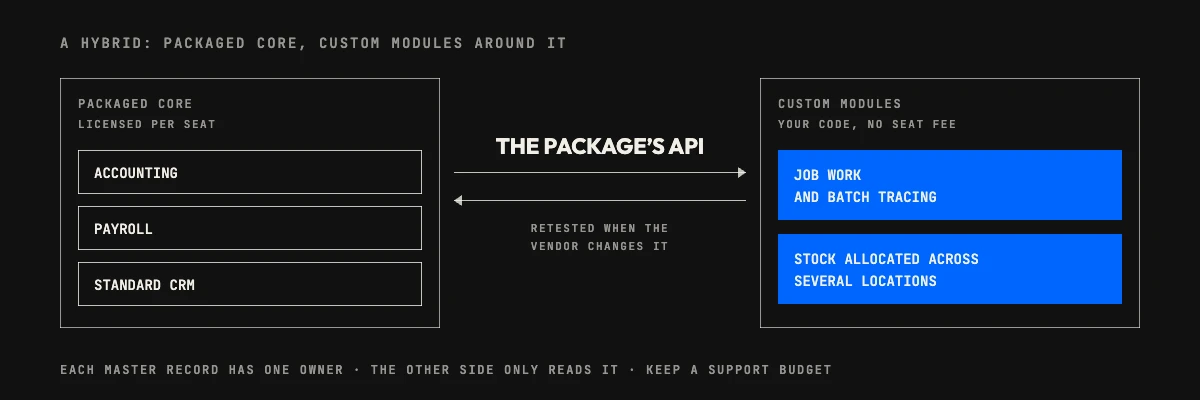
When the tests split, the answer is often both. Keep a packaged product for the work every business does the same way, such as accounting, payroll and perhaps a standard CRM. Then build the one or two modules where your process differs, and connect them to the core through its API. Job work and stock allocation across several sites are typical candidates. Our guide to ERP modules sets out which modules are usually worth buying and which are worth building.
Most of our own ERP work so far has been of this kind: custom modules added to systems a business already runs. One example is a set of modules and dashboards, built to order for a business that trades and distributes goods, linking tools that were never meant to work together. We can also integrate with and extend what a company already runs, whether a packaged ERP, an older system or an accounting product with spreadsheets, before replacing anything.
What a hybrid costs you
A hybrid brings two costs that a pure buy or a pure build avoids. First, each master record needs one owner. Decide whether items, customers and suppliers are created in the package or in the custom modules, and let the other side only read them. Otherwise the two systems drift apart. Second, the custom modules depend on the package’s API. When the vendor changes it, the connector needs work, so keep a support budget for it.
The upside is real, though. Staff who work only in the custom modules may need no seat on the package, but check the vendor’s terms on indirect use first. The custom code also sits outside the vendor’s product, so an upgrade does not overwrite it.
Custom ERP software, a package or a hybrid: side by side
| Buy and configure | Hybrid | Custom build | |
|---|---|---|---|
| What you pay | Seat fees every month, plus implementation | Seats for core users, plus a smaller build | A one-time build, then optional support, with no seat fees |
| Who owns the code | The vendor | The vendor owns the core, you own the modules | You do |
| Upgrades | The vendor ships them, and a standard setup moves across easily | The connector is retested when the core API changes | You decide when anything changes |
| First go-live | Weeks, if your processes are standard | Set by the custom modules | About 13 to 27 weeks to put two or three modules live |
| Best for | Standard processes and fewer than fifteen users | A standard core with one or two unusual areas | An unusual core process and 30 to 50 or more users |
The build timing adds up the phase durations on our ERP development page, from discovery to the parallel run, and a large first phase can take longer. One path is missing from the table on purpose: buying a package and customising it heavily. It combines the seat fees of the first column with the upkeep of the third, and you own neither the core nor its roadmap.
Run the decision through the build vs buy calculator
Once the tests point somewhere, check the money. Our free build vs buy calculator compares a custom ERP with SaaS seats month by month, and it runs in your browser. On the SaaS side, enter your seats today, their yearly growth, the seat price from your quote and any yearly price rise, plus one-time fees and add-ons. Where a vendor publishes no price the tool could read, the field opens empty for your quote. On the custom side, enter the build cost, yearly maintenance, hosting and data migration. The build figure starts at the high end of the range we publish for a first ERP phase, so the starting example leans against custom ERP software rather than for it.
Three habits make the result more honest. Use a real quote on both sides, not a list price against a guess. The licences you still pay during the build months are not counted, so enter them as a one-time fee. Finally, remember that neither side is discounted or taxed, so the answer is a cash comparison rather than a valuation.
The answer comes back as a month: the point where the SaaS running total has caught up with everything spent on the custom side. If that never happens within the years you entered, the tool says SaaS stays cheaper. Under the result, each input is moved 20% up and down on its own. If a 20% change in one input flips the answer, the decision is close, and process fit should settle it. Likewise, if cost says build but fit says buy, buy.
What to gather before you decide
- A one-page map of how an order and a purchase move through the business, with every hand-off.
- The number of people who need a login now and in five years, by team.
- Each system that has to exchange data with the ERP, and its current interface.
- The spreadsheets and workarounds kept beside your current tools.
- A written quote from at least one vendor, with the seat price, the tier and the implementation fee.
With those five items, any honest adviser can tell you which side of the line you are on. Send us that order map, and within 24 to 48 hours we come back with a phased plan and a first-module estimate, or the advice to buy a package. For named products and their published prices, our custom ERP compared with Odoo and SAP picks up where this guide stops.
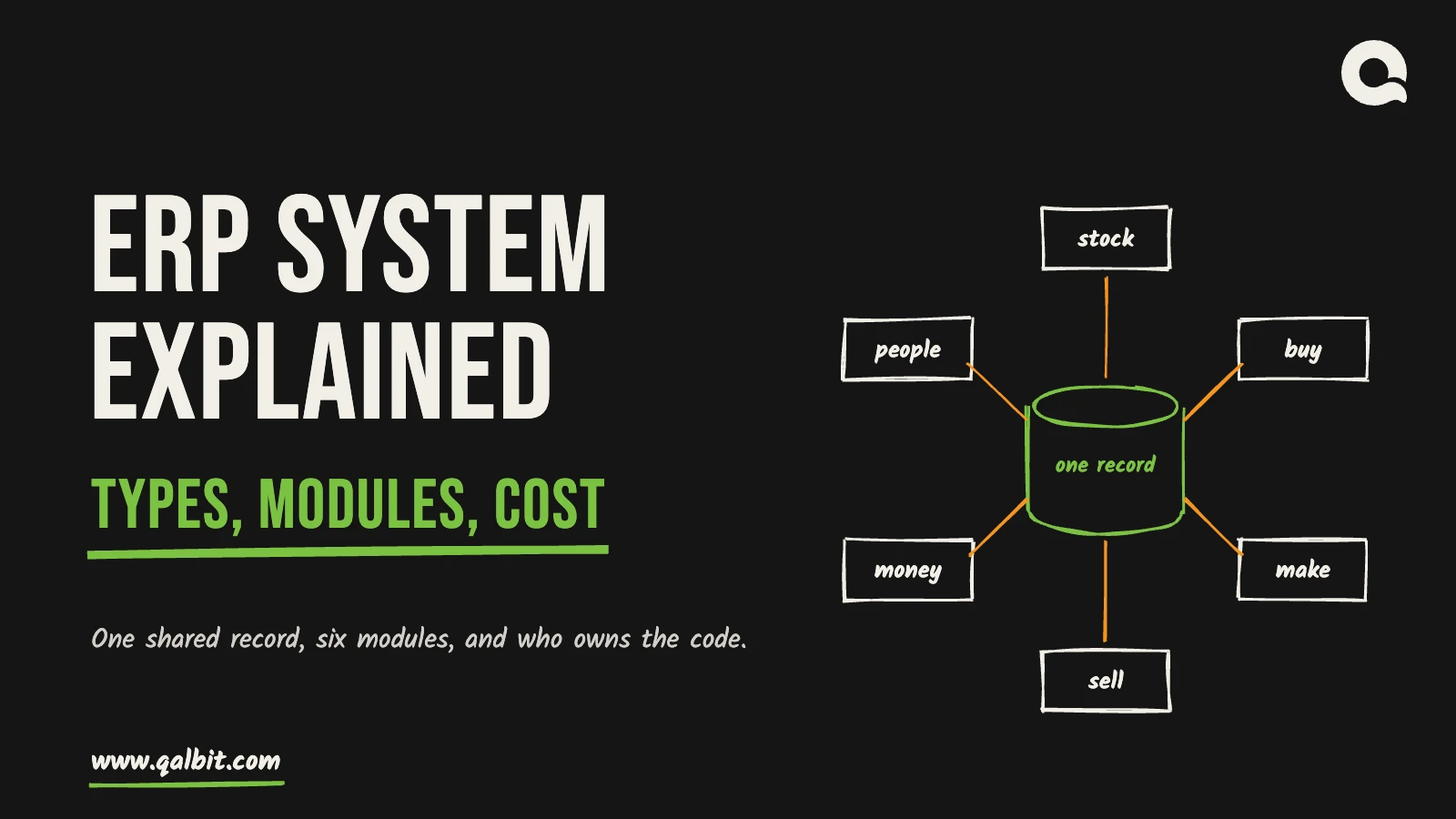
Build custom ERP software when packages handle your core process badly, or when 30 to 50 users make five years of seat fees cost more than a build. Otherwise, buy. That is the advice we give whenever a package fits, even though building ERP systems is our work. This guide sets out the method behind it, so you can run it on your own numbers before you talk to anyone.