Upkeep has two parts. Hosting is an assumption of ours: $300 a month, $3,600 a year. Engineering cover is our support retainer, billed from $1,400 monthly. We priced it at that floor from the end of the build’s included thirty days of support, which gives eight paid months in year one and twelve in each later year. We used line items rather than a percentage of the build price because the 15 to 25 percent a year that several ranking articles quote comes with no study behind it that we could locate.
The five-year arithmetic
| Line | Off-the-shelf (Salesforce Core) | Custom build |
|---|---|---|
| Licences, 40 users at $195 a month | $93,600 a year | none |
| Build | none | $30,000 once |
| Hosting | included in licence | $3,600 a year |
| Support retainer at $1,400 a month | none priced | $11,200 in year one, $16,800 after |
| Year 1 total | $93,600 | $44,800 |
| Years 2 to 5, each | $93,600 | $20,400 |
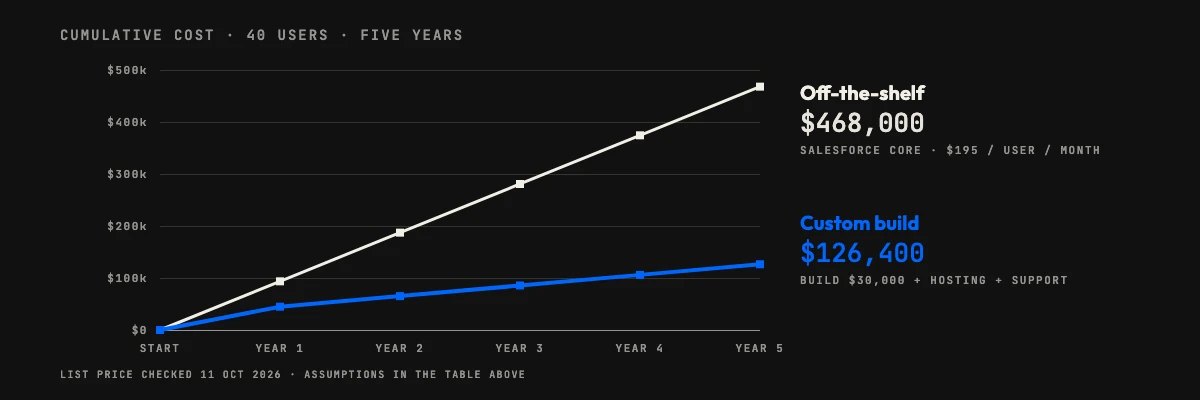
| Five-year total | $468,000 | $126,400 |
The custom path is cheaper from the first year here, because 40 licences cost more than the whole build and a year of running it. By the end of year five the difference is $341,600. The custom build also goes live around month four, so for those months the team is still on spreadsheets, a cost we have not priced in either direction.
Cumulative cost by year, drawn to scale from the table above, is below.
Where custom software vs off-the-shelf flips
The result above is one scenario, and a few inputs decide it. The table changes one thing at a time and recomputes the five-year totals.
| Change | Off-the-shelf | Custom | Cheaper |
|---|---|---|---|
| The scenario as priced | $468,000 | $126,400 | custom, by $341,600 |
| Build at our cost estimator’s Complex size, 1.45 times as much ($43,500) | $468,000 | $139,900 | custom, by $328,100 |
| Support retainer doubled to $2,800 a month | $468,000 | $204,800 | custom, by $263,200 |
| Salesforce Pro Suite at its $100 list price instead of Core | $240,000 | $126,400 | custom, by $113,600 |
| A hypothetical $50-a-seat tool instead (our placeholder, not a real quote) | $120,000 | $126,400 | off-the-shelf, by $6,400 |
| Only 10 users, at $195 | $117,000 | $126,400 | off-the-shelf, by $9,400 |
At $195 a seat and our cost assumptions, the five-year break-even sits at about 11 users, and for year one alone at about 19. Below that, buy. On Pro Suite at $100 it sits at about 21 users, and at the hypothetical $50 seat it rises to roughly 42. The 1.45 multiplier is the Complex size on our public cost estimator, meant for many roles, modules or heavy scale; with no add-on features it prices a complex CRM at up to $43,500. Applying it to this scenario is our own arithmetic. Seat count and seat price move the answer far more than the build price does, which is the thing to test first against your own quotes.
If the team goes from 40 to 60 users, the licence bill rises by $46,800 a year (20 more seats at $195 a month), while the custom tool’s hosting and support barely move. A shrinking team does the opposite, because a licence bought for 40 seats does not get cheaper because people left.
Custom software vs off-the-shelf: when buying wins
Buy when the process is ordinary and you are small. A ten-person sales team does not have a workflow nobody sells software for, and the table shows licences winning there. Buying also wins when you need to be live next week, when you want integrations the vendor already maintains, or when the work is a commodity such as payroll or accounting, where nobody gains from owning the code.
The same goes when you cannot name what you would build. A written scope is the price of entry for custom work. If the team still argues about what the process is, rent a tool for a year and learn from how people use it.
Custom software vs off-the-shelf: when building wins
Build when the seats are many, the workflow is your own, and the tool will live for years. Per-seat pricing grows with headcount; a build does not. The case gets stronger when staff keep a spreadsheet beside the licensed tool because it cannot hold the real process, since you are then paying for both.
A build we deliver sits in your repositories from day one, so the code is yours whoever maintains it later. We covered the business side of that choice in why investing in custom software can transform your business; this post is the arithmetic that belongs beside it.
The risk on the custom side. A build can go wrong in ways a licence cannot. Scope grows after the first demo, a quote turns out to leave things out, or the one person who understood the code leaves. Our fixed-scope builds are billed against milestones with the exclusions written down, which limits the first of those, but nothing removes the need for someone on your side to own the product after launch. If nobody will, the maintenance line in the table is a cost with no benefit and a licence is the safer buy.
The ranges we publish are indicative. A written scope, which we return within 48 hours, gives the real number, and the sensible way to use this post is to put that number into the build row and see what happens to the totals.
The hybrid route: buy the core, build the edge
The choice is rarely all or nothing. A common pattern is to keep the commodity core, accounting, email or a basic CRM, and build only the part that is specific to you: an approvals screen, a quoting rule, a customer portal. The custom piece talks to the bought one through its API.
This keeps the build small and the licence count low, because only the people who need the core get a seat. The price is a dependency: the custom part breaks if the vendor changes its API, so the support line stays in the budget.
What the price comparison leaves out
Data ownership and exit. With a licence, your data lives in the vendor’s system and you leave through its export tools, in the formats it offers. With a build, the database is yours and an exit is a migration you control. Ask any vendor to show you the export before you sign, and check what happens to your data if the contract ends.
Integration. Off-the-shelf tools arrive with ready connectors, which saves real time, but each connector is another subscription or another dependency. A custom tool connects to what you run today and nothing else. List your must-have integrations and price them on both sides, because they are missing from the table above.
Pace of change. A vendor updates its product for all customers, and you cannot decline a change. A build changes when you say so, at the cost of paying for each change. Neither is better, so choose by how often your process changes.
How to run this comparison for your own team
Take the table and replace each input with your own: seats and expected growth, a real vendor quote, a written build estimate, and a support figure. Then run the sensitivity rows. If the answer survives a doubled build price and a halved seat price, you can rely on it. If it flips, the decision is closer than any article can tell you. Our software development cost calculator returns a build range in about a minute.
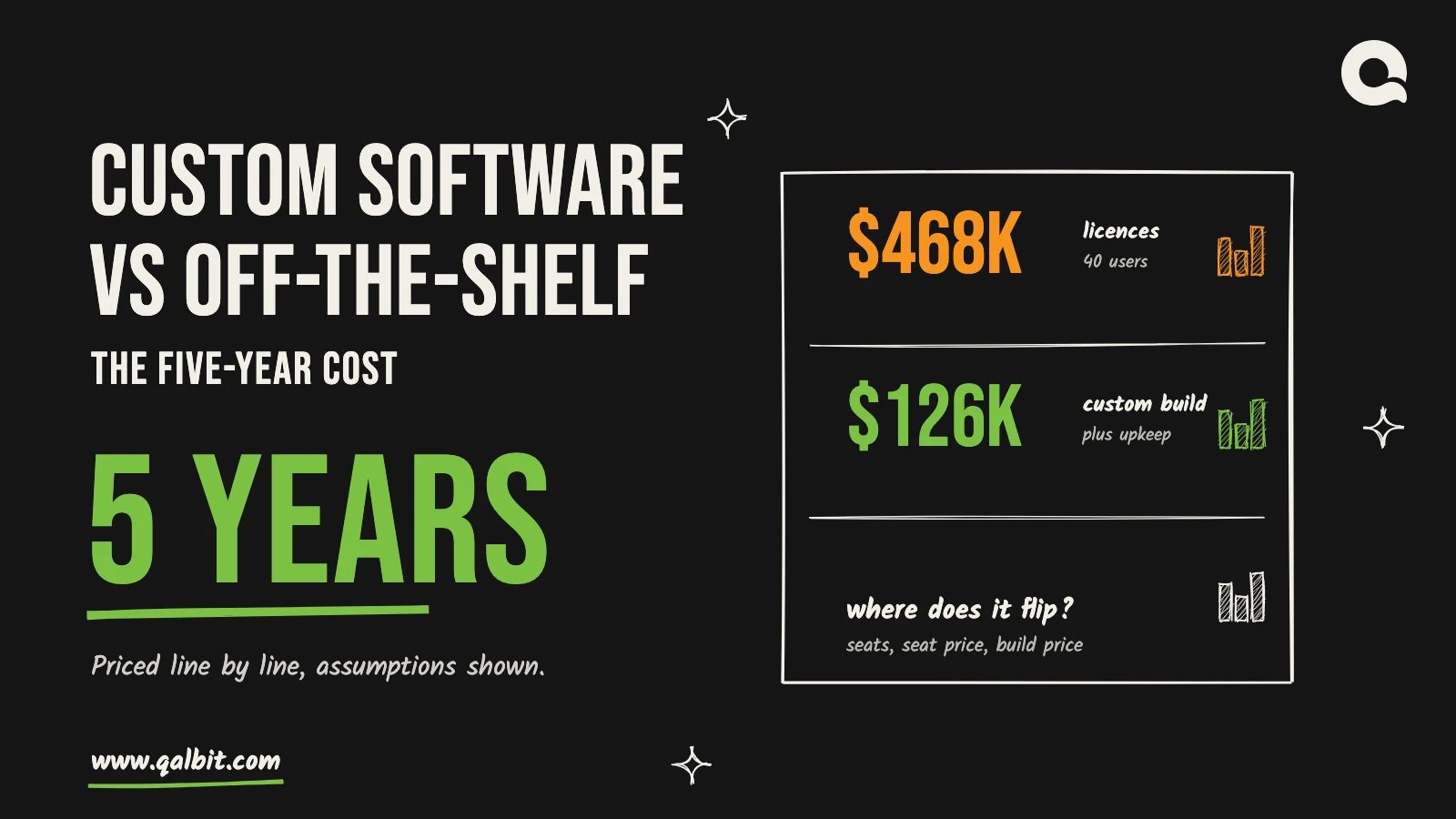
Custom software vs off-the-shelf over five years, for 40 users: $468,000 in Salesforce licences against $126,400 for a custom build and its upkeep. Assumptions decide that gap, and the sections below show every one of them and the point where it closes.
Most comparisons stop at the sticker price, and the sticker favours buying: a licence starts on day one and a build does not. Over five years the order can reverse, because a licence is billed per person every month and a build is paid for mostly once. If you are weighing the second path, our custom software development service page lists what a build includes and how scoping works. Here we price one worked scenario line by line, using published prices on both sides. For the build side on its own, our custom software cost guide sets out typical ranges and what moves them.
Custom software vs off-the-shelf: the scenario we priced
Take a team of 40 people who need one tool to run a sales-and-operations workflow: contacts, a pipeline, tasks, approvals, a handful of reports. Nobody on the team has software yet beyond spreadsheets. The team stays at 40 for five years. Everything below follows from these choices, so change them and the totals move.
The off-the-shelf side
We used one named product at its published list price. On Salesforce’s Sales Cloud pricing page, checked on 11 October 2026, the Core edition is listed at $195 per user per month, billed annually. The page shows no effective date and says it is subject to change. At 40 users that is $7,800 a month, or $93,600 a year.
We left out implementation, data migration, add-ons and admin time. Those costs are real, but none of them is published, so none is in the number, and on that count the off-the-shelf total is a floor. It can also move the other way: a quote for 40 seats may land below list after negotiation, which no public page shows. Core is not the only seat price either. The same page runs from $25 for Starter Suite through $100 for Pro Suite to $550 for Max, so the sensitivity table below reprices the team on Pro Suite and on a cheaper hypothetical tool.
The custom side
The build price comes from the range on our pricing page: a custom CRM is $10,500 to $30,000 and takes 8 to 14 weeks. We used the top of the range, $30,000, since a team of 40 with approvals and reports is not a minimum case. On that page the range buys pipeline, contacts, automation and the integrations you already run. It does not buy what a mature CRM carries beyond the workflow: an app marketplace, built-in forecasting and AI features, or a vendor shipping new features every release. The comparison holds only if the 40 people need the workflow, not the catalogue. Our pricing models post explains how a fixed-scope build is billed against milestones, and our post on why published averages mislead covers what a quote may leave out.