
Key takeaways
- Each ERP module owns its own documents and one kind of decision, and finance is the ledger every module except CRM posts to.
- Items, customers, suppliers, employees and the chart of accounts should each have exactly one owning module.
- Most first phases cover two or three connected modules, starting with the one that costs the business most today.
- Keep or buy finance, payroll and a standard CRM; build inventory, production or pricing where they carry your own way of working.
- In the UAE and Saudi Arabia, e-invoicing deadlines in 2027 can turn an add-on module into phase one.
Only manufacturers need this module, but they need it in very different shapes. For instance, assembly from parts suits most packaged ERPs reasonably well. Process manufacturing is harder, though, with batches, yields, wastage and costs that depend on earlier stages. That is where packages most often stop fitting.
HR: people, time and approvals
HR owns employee records, attendance, leave, expense claims and the inputs payroll needs. It also decides who approves what, which matters to every other module. For example, the purchase approval chain and the sales discount limit both read from it. Labour and expense costs then flow on to finance.
Payroll itself is often better kept in a dedicated payroll product, since the rules change with tax law and keeping up is that product’s whole job. The HR module then sends attendance and leave to it instead of calculating pay.
CRM: the work before the first order
CRM owns leads, contacts, opportunities and follow-ups, and it decides which prospects to chase and with what offer. When a deal is won, CRM hands it to sales as a quotation, and from then on sales owns it. Many businesses run a separate CRM product and connect it to the ERP. That works well, provided both sides agree on which one creates customers.
How ERP modules share records
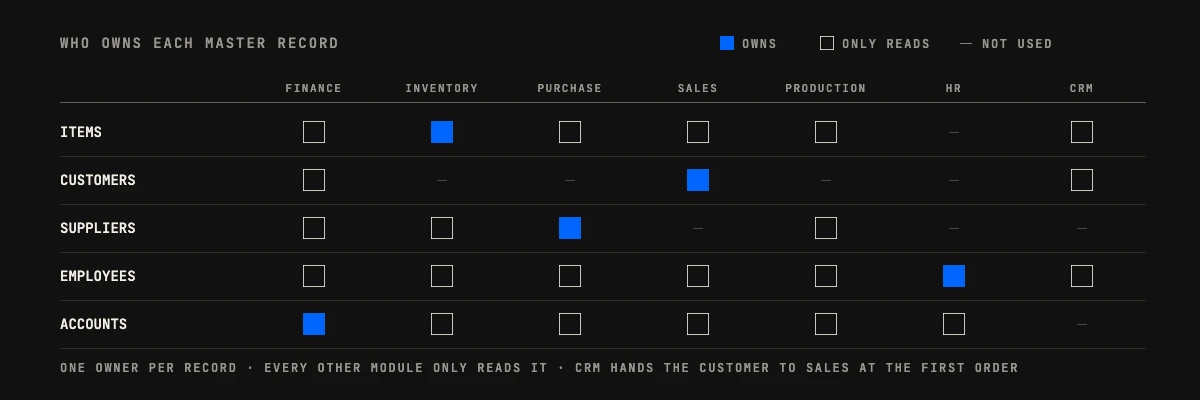
Under the documents sit five master records: items, customers, suppliers, employees and the chart of accounts. Each should have exactly one owner, and every other module only reads it. When two modules can both create customers, you end up with the same customer under two spellings, with two credit limits and two balances.
The figure below applies that rule to the seven modules. Each column is a module and each row a master record. A filled square marks the module that owns a record, while an outline marks a module that only reads it. CRM keeps a prospect until it buys; from the first order, the customer belongs to sales.
One order through five modules
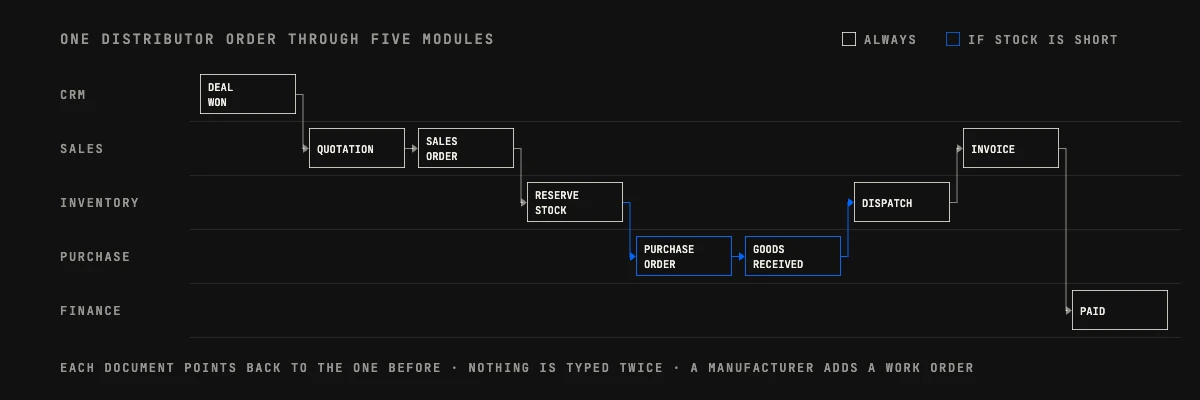
Follow one order for a distributor and the shared records do their work. First, CRM wins the deal and hands sales a quotation. The confirmed order then reserves stock in inventory. If stock is short, the shortfall becomes a purchase order, and a manufacturer would raise a work order before that. The goods received note adds stock, and dispatch takes it out again. Finally, the invoice becomes a receivable in finance, and the payment closes it.
Nobody re-types the customer, the item or the price at any step. Each module adds its own document and points back to the one before, so you can start from an invoice and walk back to the original quotation.
Where to start: ERP modules by business type
Start with the module that costs you most today, then add the ones it hands work to. Most first phases cover two or three connected modules, because one module built properly is worth more than four built thinly. The table shows where that usually lands.
| Business | Start with | Add next | Can wait |
|---|---|---|---|
| Trading or distribution | Inventory, purchase and sales, synced to your accounting | Transfers between locations, CRM | HR; production is not needed |
| Assembly manufacturer | Inventory, production and purchase | Sales, quality checks on incoming parts | Maintenance, HR |
| Process or batch manufacturer | Inventory with batches and expiry, production with batch costing | Quality, purchase | Projects, HR |
| Services or project firm | Projects with time and billing, synced to your accounting | HR for timesheets and expenses, CRM | Inventory, often for good |
The reasons differ by business. A distributor’s daily problem is stock it cannot see across locations, so inventory leads. A manufacturer cannot plan purchases or cost a product until its bills of materials are in the system, so production comes early. A services firm sells time, so projects and timesheets come first, and it may never need stock control at all.
Add-on ERP modules: quality, maintenance, projects and e-invoicing
Beyond the standard seven, four add-ons also come up often. Each one sits between modules you already have rather than standing alone.
- Quality. Owns inspection plans, test results and holds. It sits between a goods receipt and available stock, so a failed lot never becomes stock that sales can promise.
- Maintenance. Owns the asset register, preventive schedules and breakdown work orders. Spare parts come out of inventory, and the cost of each repair goes to finance.
- Projects. Owns budgets, tasks, timesheets and milestone billing. Services firms need it from day one, and manufacturers who build to order use it to cost each job.
- E-invoicing. Owns the electronic copy of each invoice in the format a tax authority sets, its transmission and the authority’s response. It reads from sales and writes a status back.
E-invoicing deadlines in the Gulf
E-invoicing is the add-on most often driven by a date. In its announcement of 29 September 2025, the UAE Ministry of Finance says businesses with annual revenue of AED 50,000,000 or more must implement its Electronic Invoicing System as of 1 January 2027. Smaller businesses follow as of 1 July 2027, and both work through an Accredited Service Provider.
Saudi Arabia, meanwhile, runs its own timetable. ZATCA’s Wave 25 notice of 24 July 2026 covers taxpayers whose revenues subject to VAT exceeded SAR 187,500 in 2022, 2023, 2024 or 2025. ZATCA will notify them to integrate with its Fatoora platform by 1 February 2027. Integration also means issuing invoices in a set format with extra fields.
Across the Gulf, a deadline like this is often the reason an ERP project starts. So if one applies to you, e-invoicing stops being an add-on. It becomes phase one, and the plan runs backwards from the date.
When to build ERP modules and when to buy them
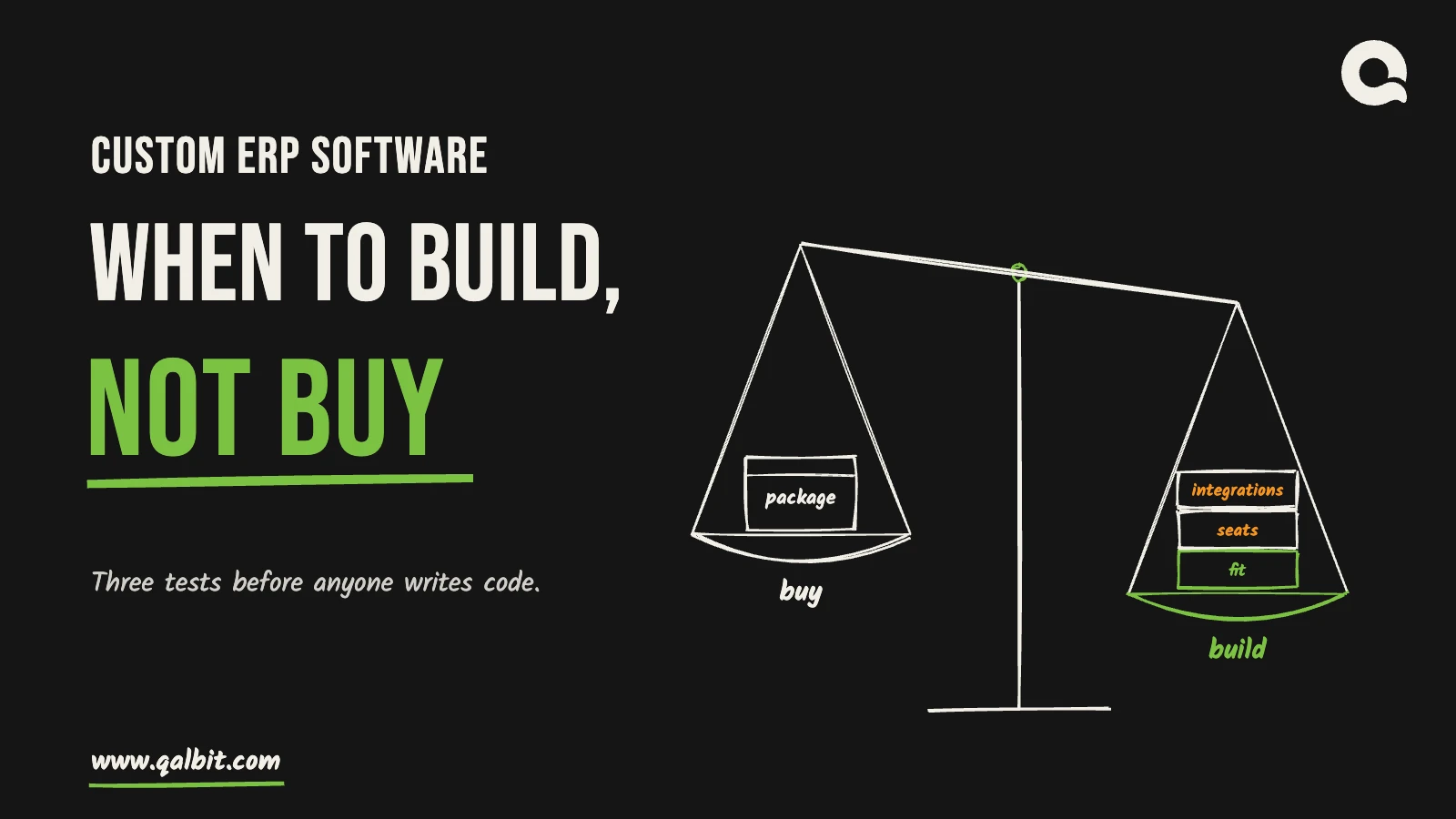
Our rule is short: buy or keep the modules that work the same in every business, and build the ones that carry your own way of working. Finance, payroll and much of CRM follow rules or habits that hardly vary, and good products already exist for them. Inventory, production and pricing, on the other hand, are where businesses differ, and where a package bends the process to fit the software.
| Module | Buy or keep when | Build when |
|---|---|---|
| Finance | Almost always: keep your accounting product and sync to it | Rarely, and only when the ledger itself must work differently |
| HR and payroll | Payroll follows tax law, so a payroll product keeps up for you | Approvals or attendance follow shift and site rules no product models |
| CRM | Your sales process is a standard pipeline | Quotes depend on configurable products or prices held in the ERP |
| Inventory | One warehouse, simple items, standard units | Unusual units, batches, consignment stock or allocation across locations |
| Purchase | A standard order, receive and pay flow | Approval chains by value, site or category, or job work with subcontractors |
| Sales | Simple price lists and credit terms | Your pricing, credit or dispatch rules are how you compete |
| Production | Assembly from parts with fixed bills of materials | Process manufacturing, batch genealogy or costs that build up over stages |
Two routes from the table
The first route is to buy a package and customise it. You then keep paying the licence, and you also own custom code that has to survive every vendor upgrade. The second is to build the modules specific to you and connect them to bought products for accounting, payroll and perhaps CRM. Seat pricing shifts the sums too: past roughly 40 users, a per-user subscription starts working against you, which is usually where the second route pays. For what a module costs to build, see our custom ERP development cost guide.
Who should not add ERP modules yet
Some businesses, however, do not need any of this. When a packaged product fits, we say so on the first call and turn the project down. You are probably in that group if one of these is true:
- Your processes are standard and you need to be live in about eight weeks, which a packaged product can do.
- You have fewer than fifteen users and no unusual workflows.
- Nobody inside the business will own the system once it is live.
- What you really need is accounting plus light stock control. That is a bookkeeping product, not an ERP.
For everyone else, the next step is a list. Write down the documents your business produces in a normal week, then mark the ones a package would force you to change. The unmarked ones are modules to buy or keep. The marked ones are your custom scope, and usually your first phase.
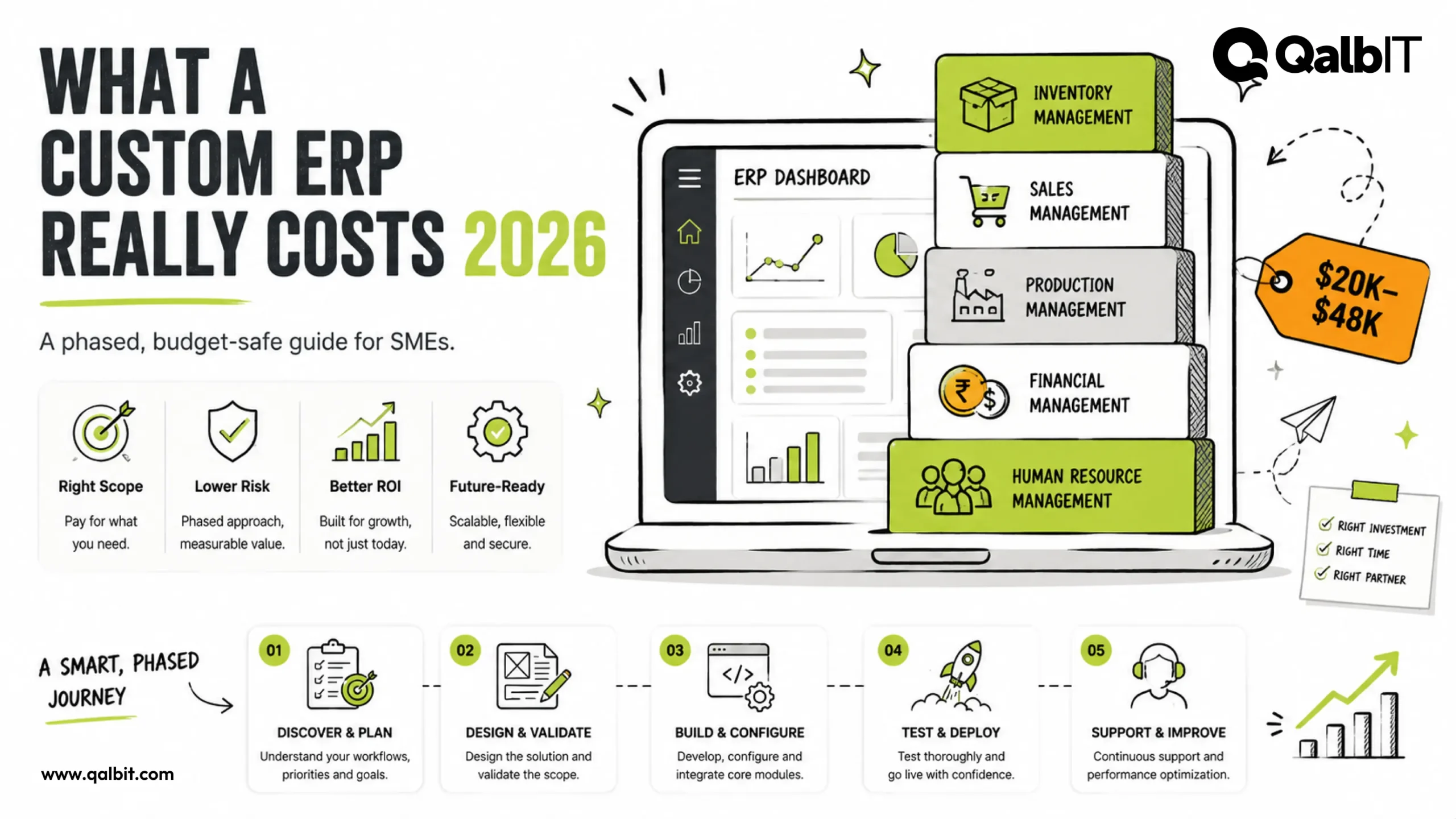
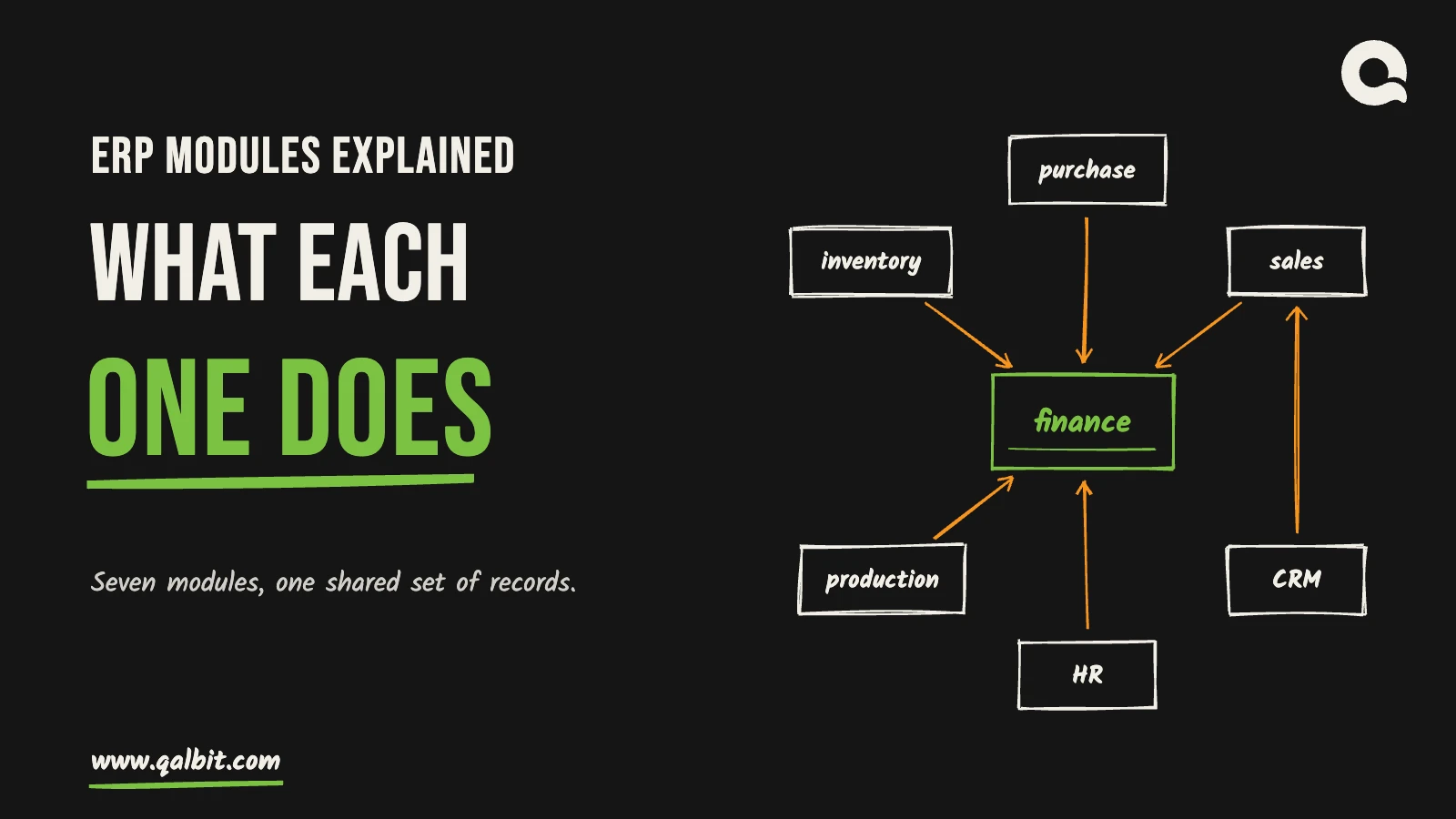
ERP modules are the parts of an ERP system that each run one area of the business, usually finance, inventory, purchase, sales, production, HR and CRM. Each module owns a set of documents, such as the purchase order or the delivery note, and the decisions that go with them. The modules also share a few master records, so an order entered once can move stock, raise a purchase and reach the accounts without anyone typing it again. We build custom ERP modules to order, and this guide explains each one by what it owns and what it shares. Then it covers which modules to start with, and which to buy rather than build.